PMTk — The Process Mining Toolkit Process mining for business teams. Your data stays where you want it.
PMTk — the Process Mining Toolkit — turns your company's data into a clear picture of how your business processes really run. Understand what happens, spot where things go wrong, and improve your processes step by step, without writing a single line of code. Run it on your own servers to keep full control of your data.

PMTk in Action
A quick visual tour of what you can do with PMTk.
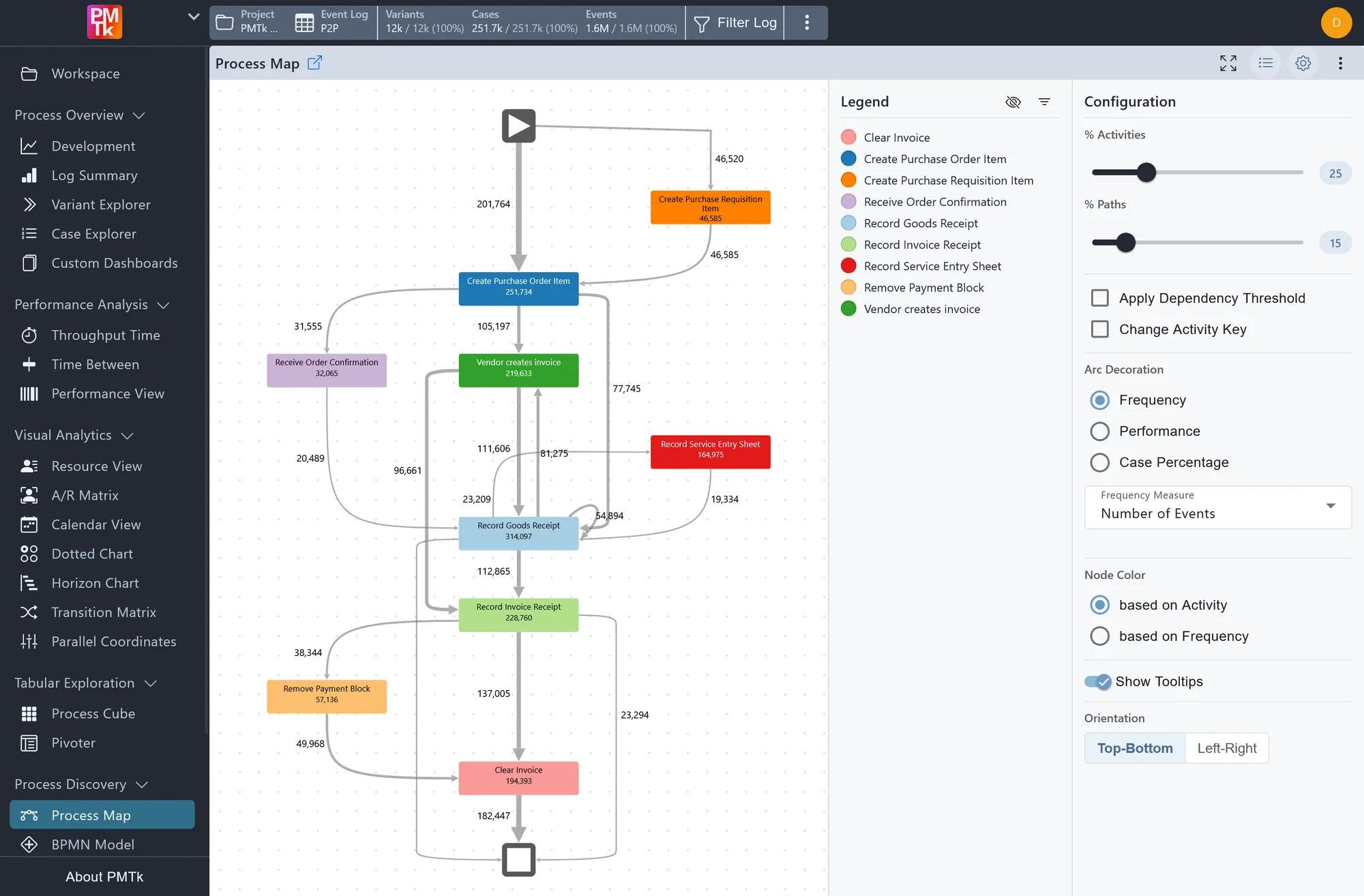
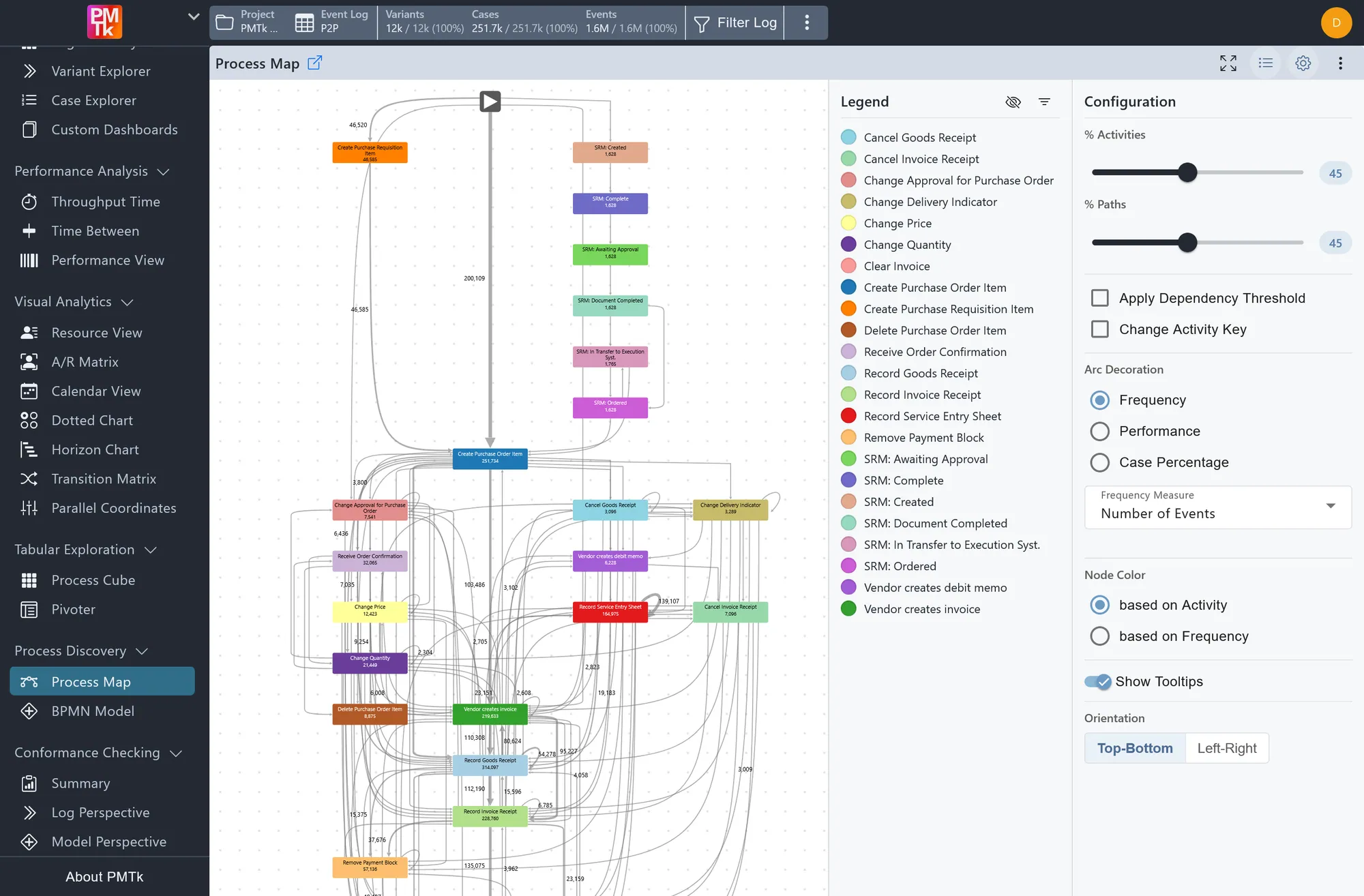
Process DiscoveryProcess MapSpot bottlenecks, loops and unexpected paths, with case counts and durations shown on every connection 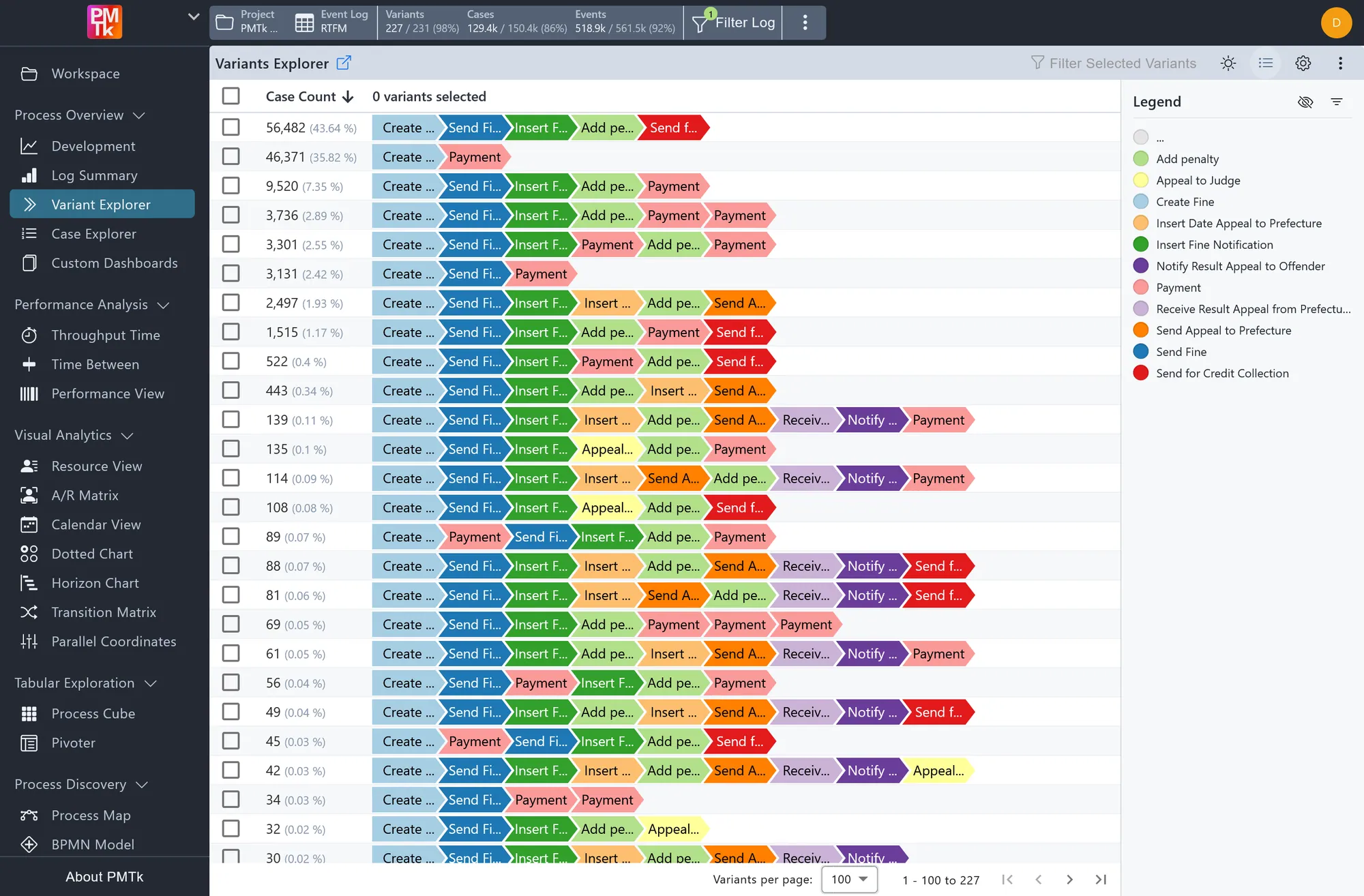
Interactive TablesVariant ExplorerSee exactly how many process executions follow each sequence of steps, and filter any of them with a single click. 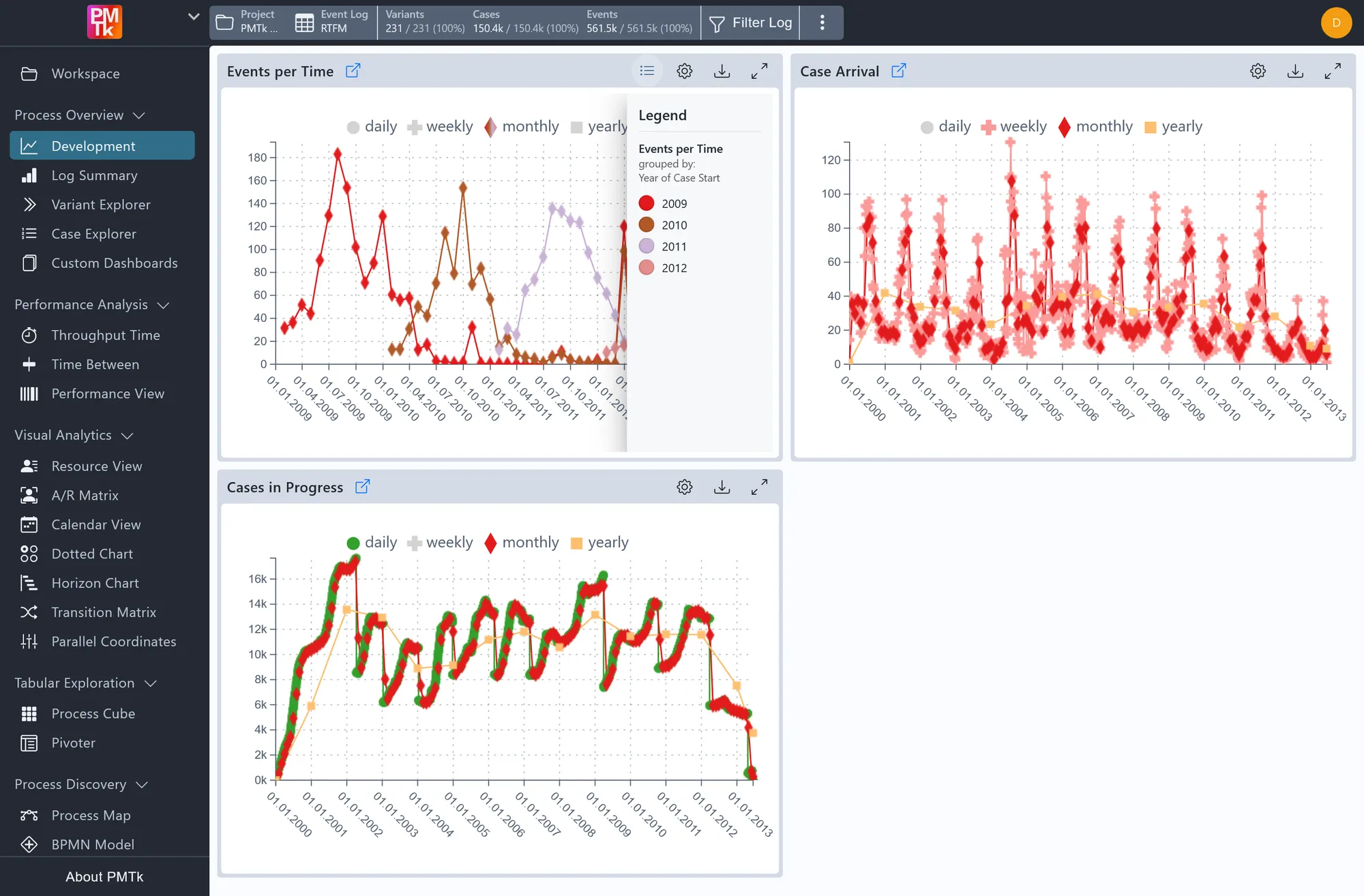
Time PatternsTemporal TrendsSeasonal peaks, incoming work and growing backlogs: see how your workload changes by day, week, month or year. 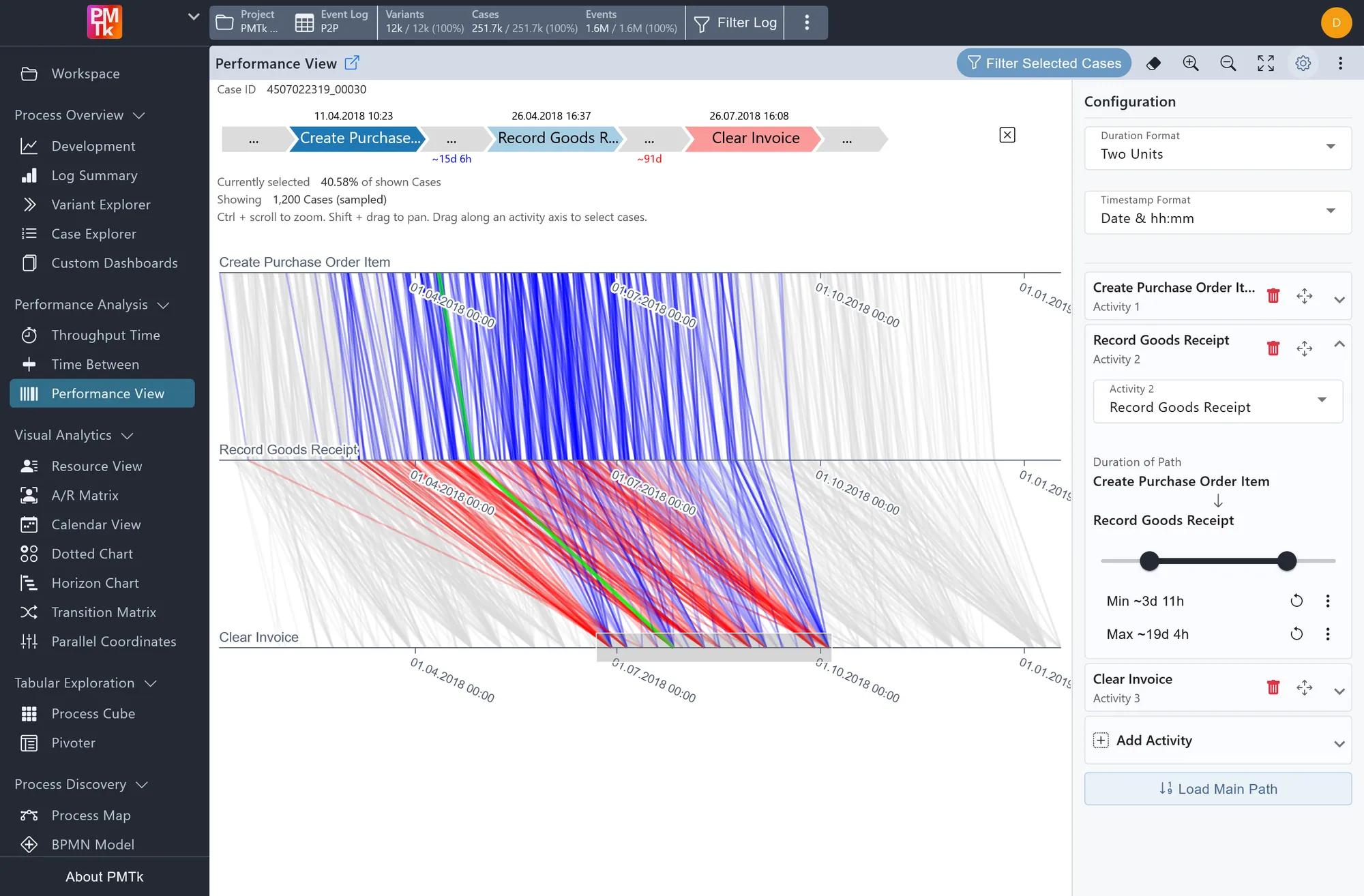
Process EfficiencyPerformance ViewFind bottlenecks between steps at a glance, set thresholds for too slow or too fast, and filter those process executions with a simple drag. 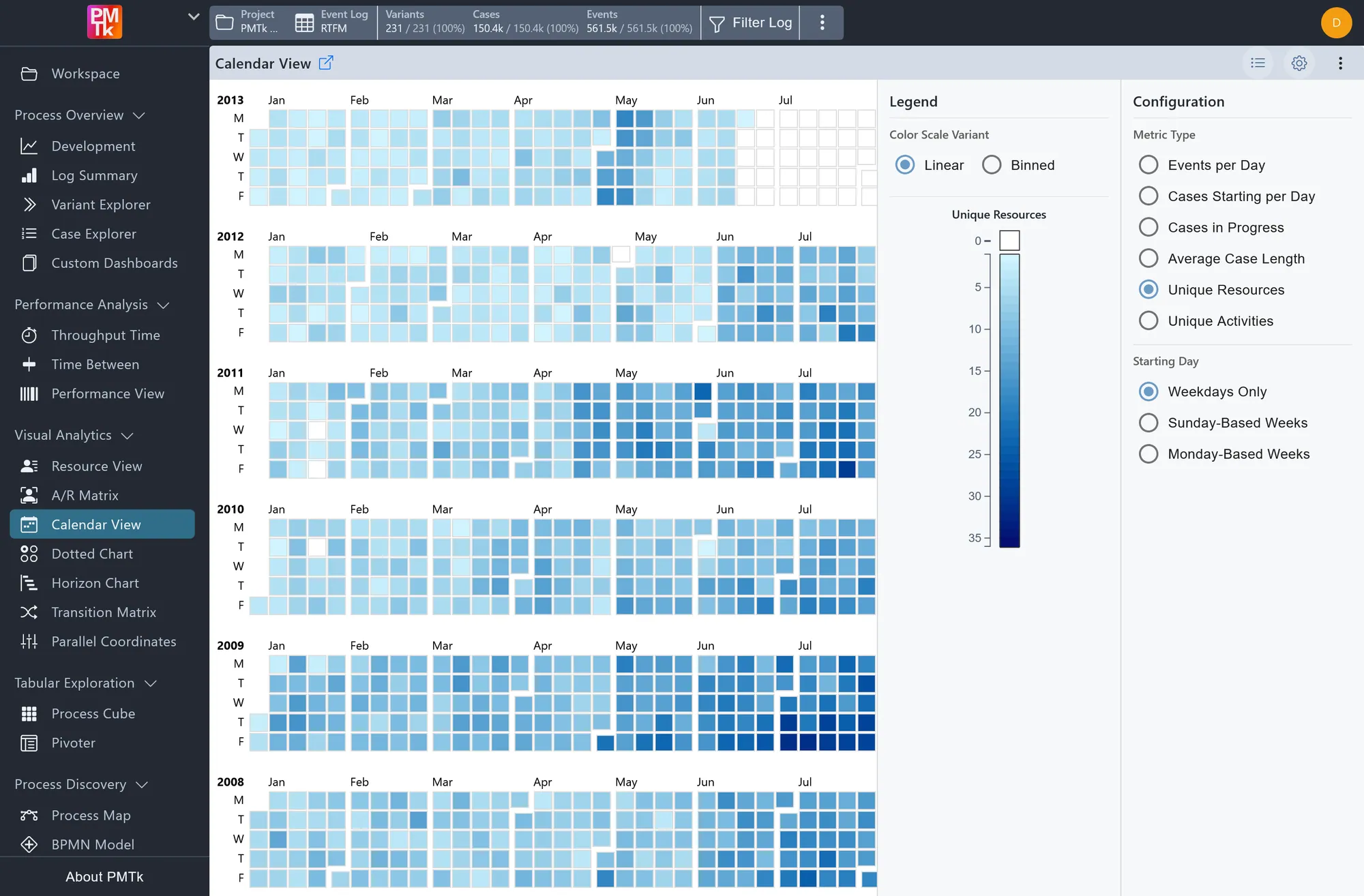
Time PatternsCalendar ViewMap workload, durations and other metrics onto every day of the year, so unusual days stand out immediately. 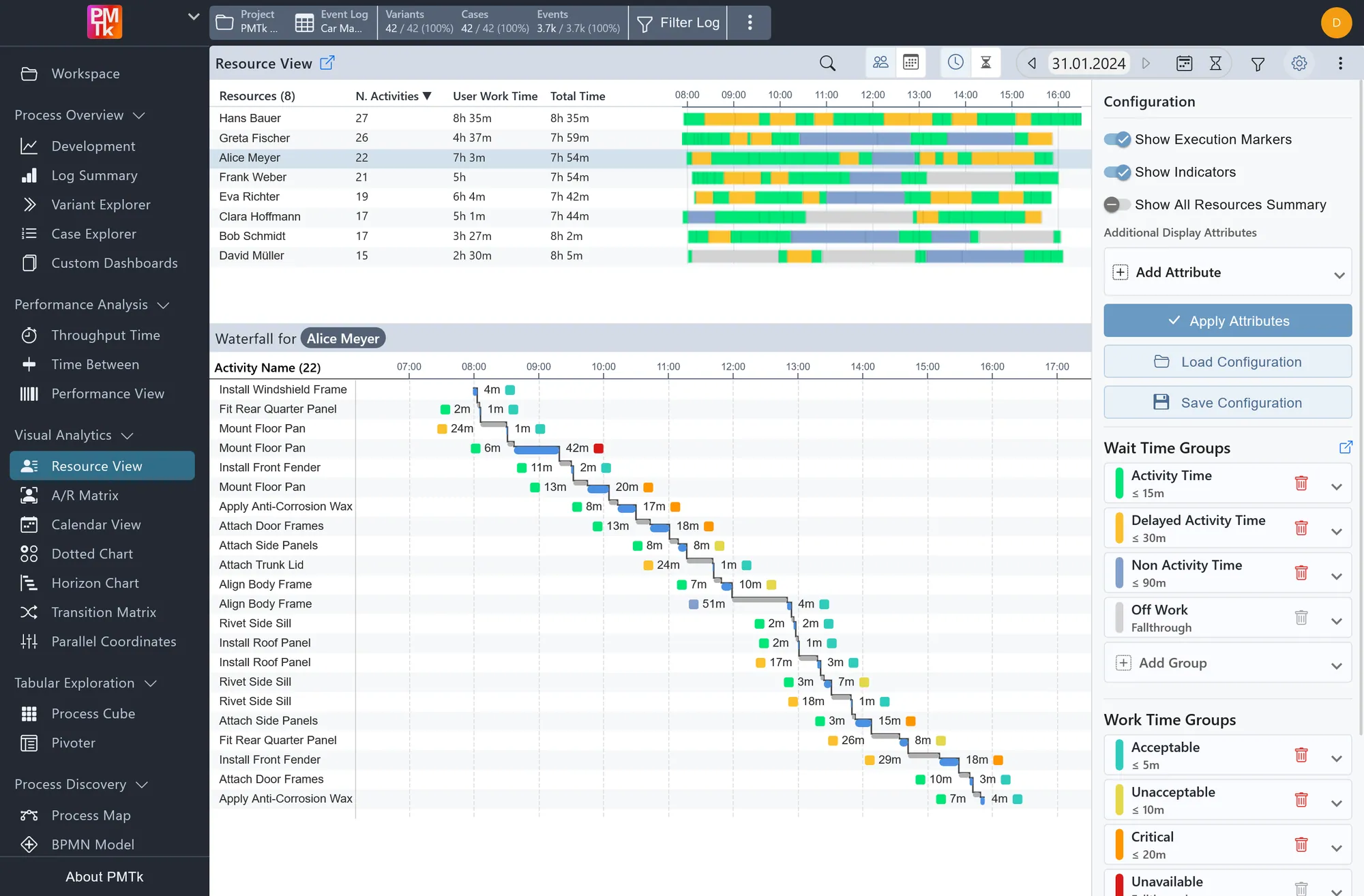
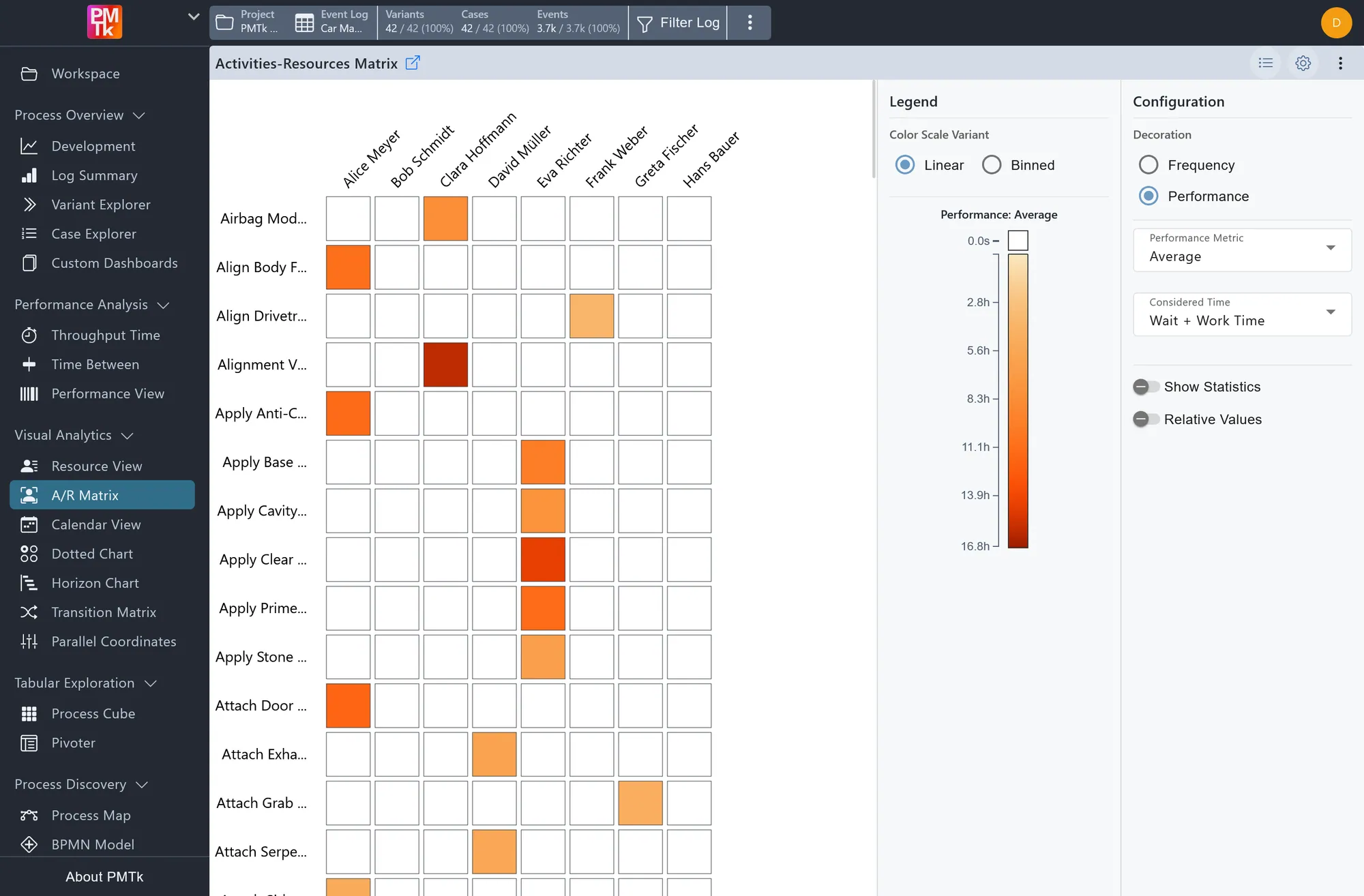
Process EfficiencyResource ViewFrom people to machines and AI agents: see who carries the most work, and exactly when each one was working or waiting. 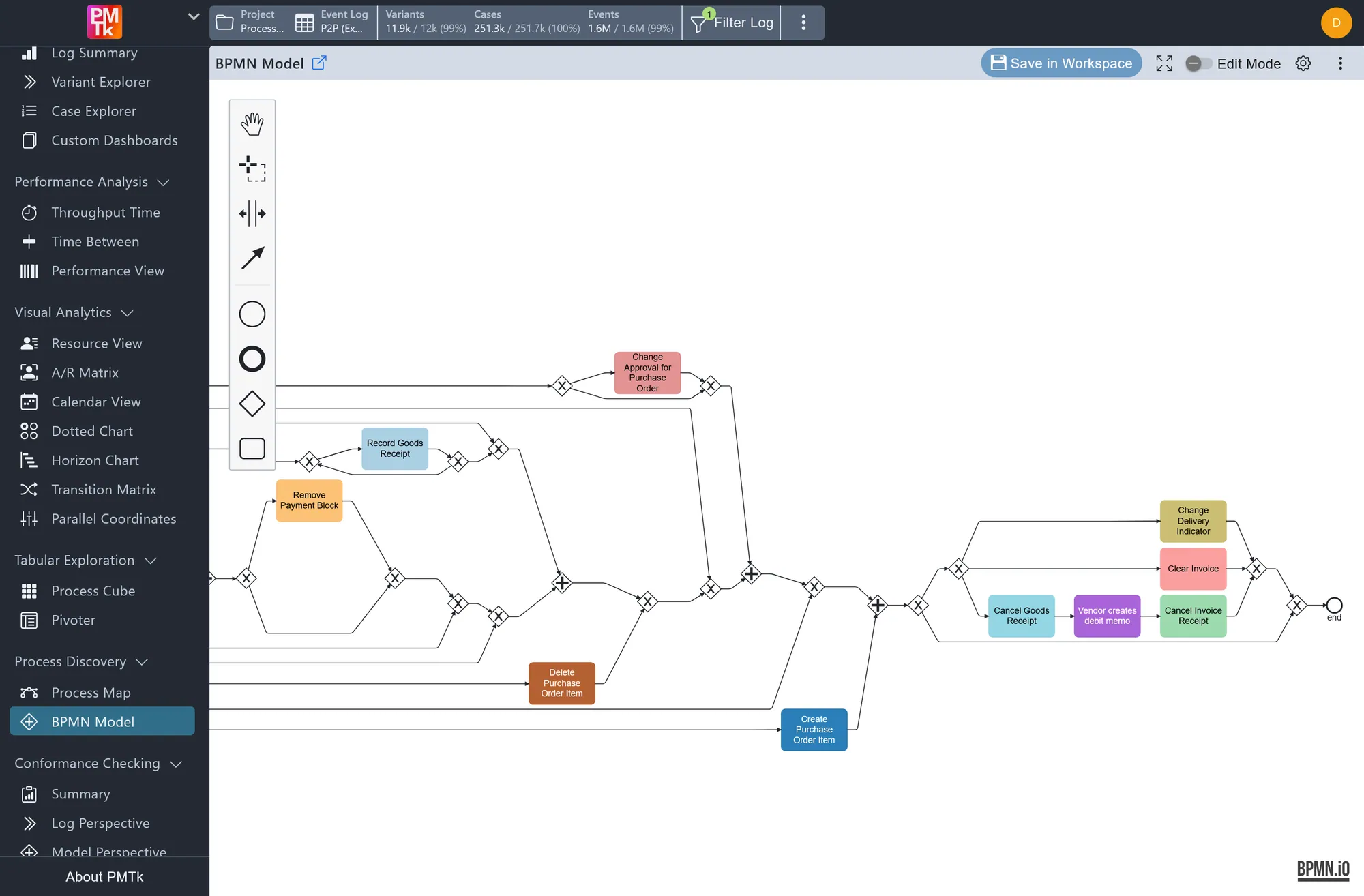
Process DiscoveryBPMN ModelGet a standard process diagram straight from your data, fine-tune it in the built-in editor, and use it for documentation or compliance checks. 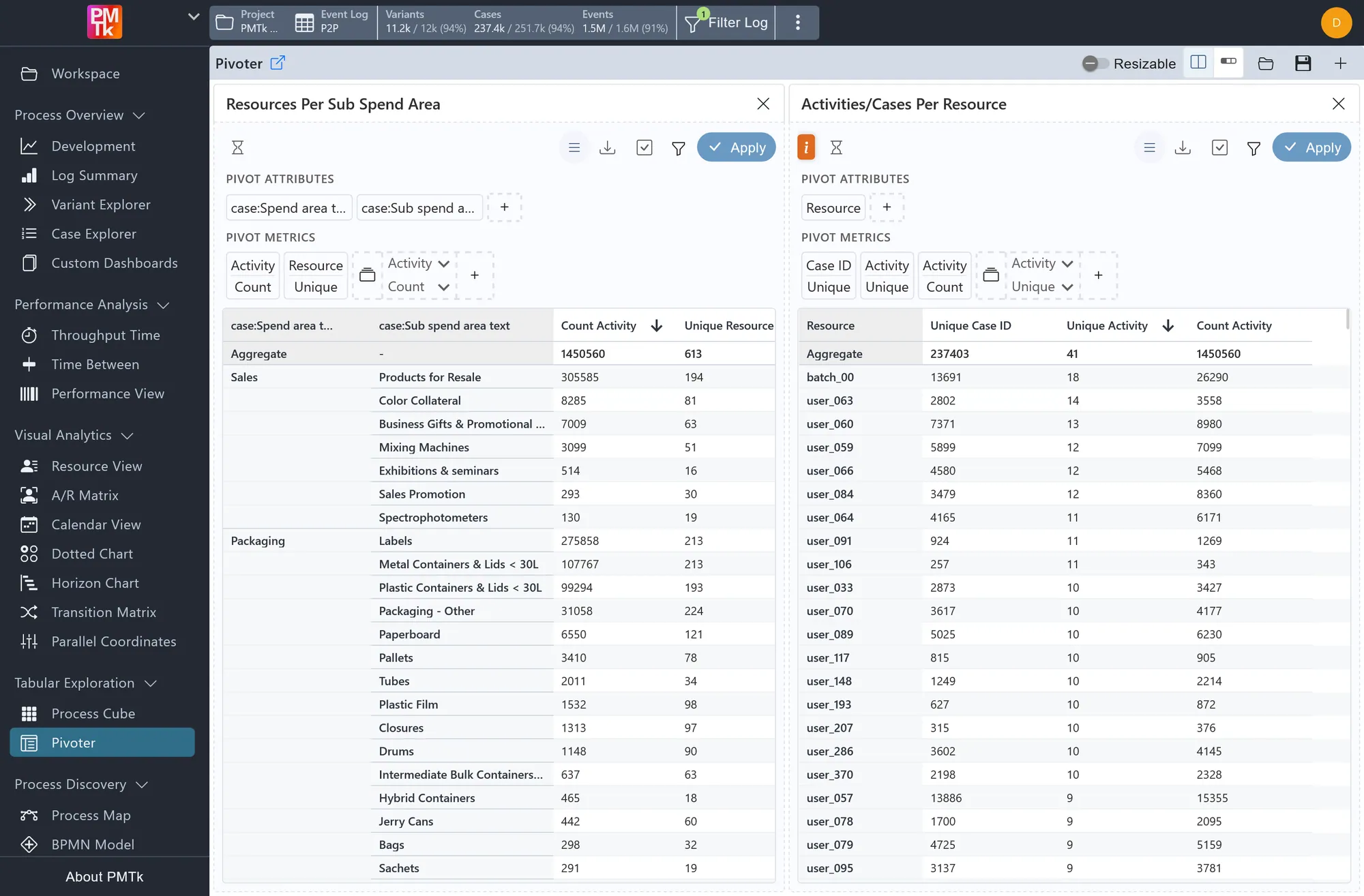
Interactive TablesPivoterJust like pivot tables in Excel: group your process data by product, region or any other attribute and compare key figures side by side. 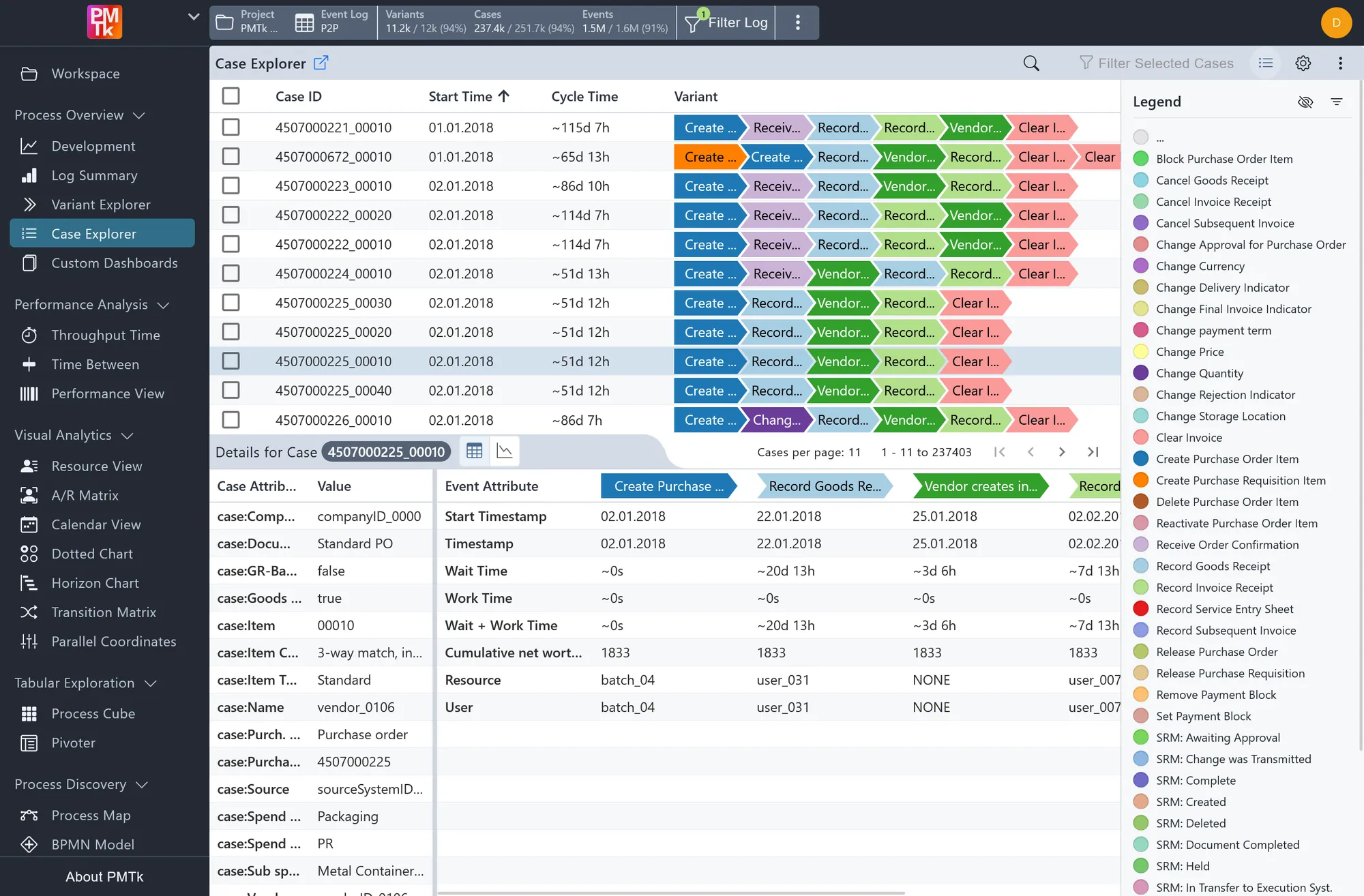
Interactive TablesCase ExplorerDrill down to any individual process execution and see every detail recorded for it, step by step. 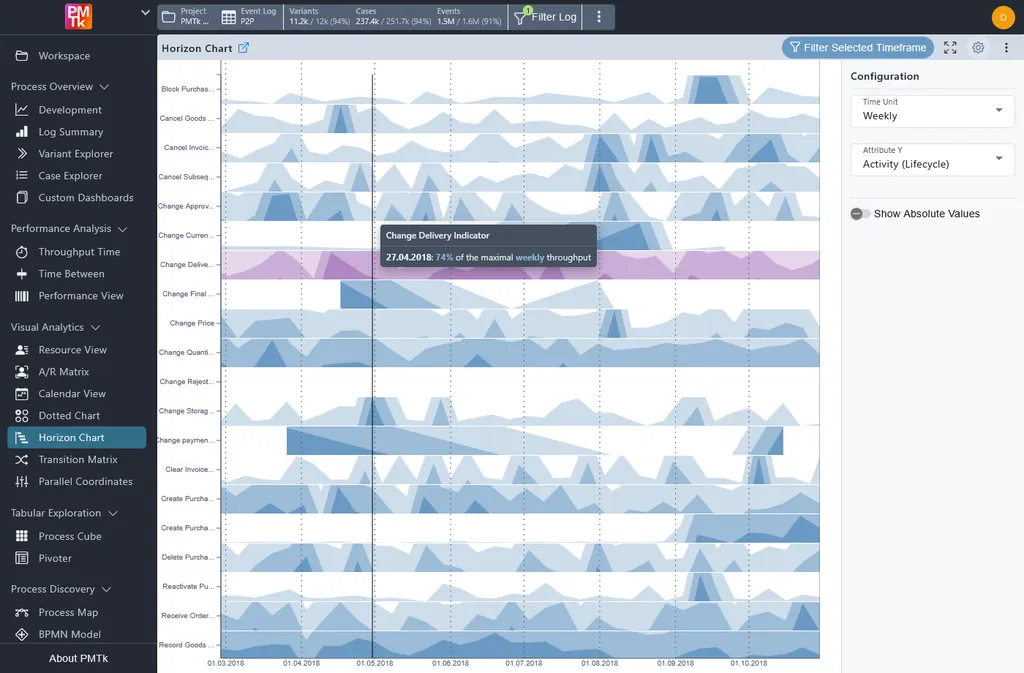
Time PatternsHorizon ChartTrack process steps, products, suppliers or anything else in your data over time, and see which ones peak together. 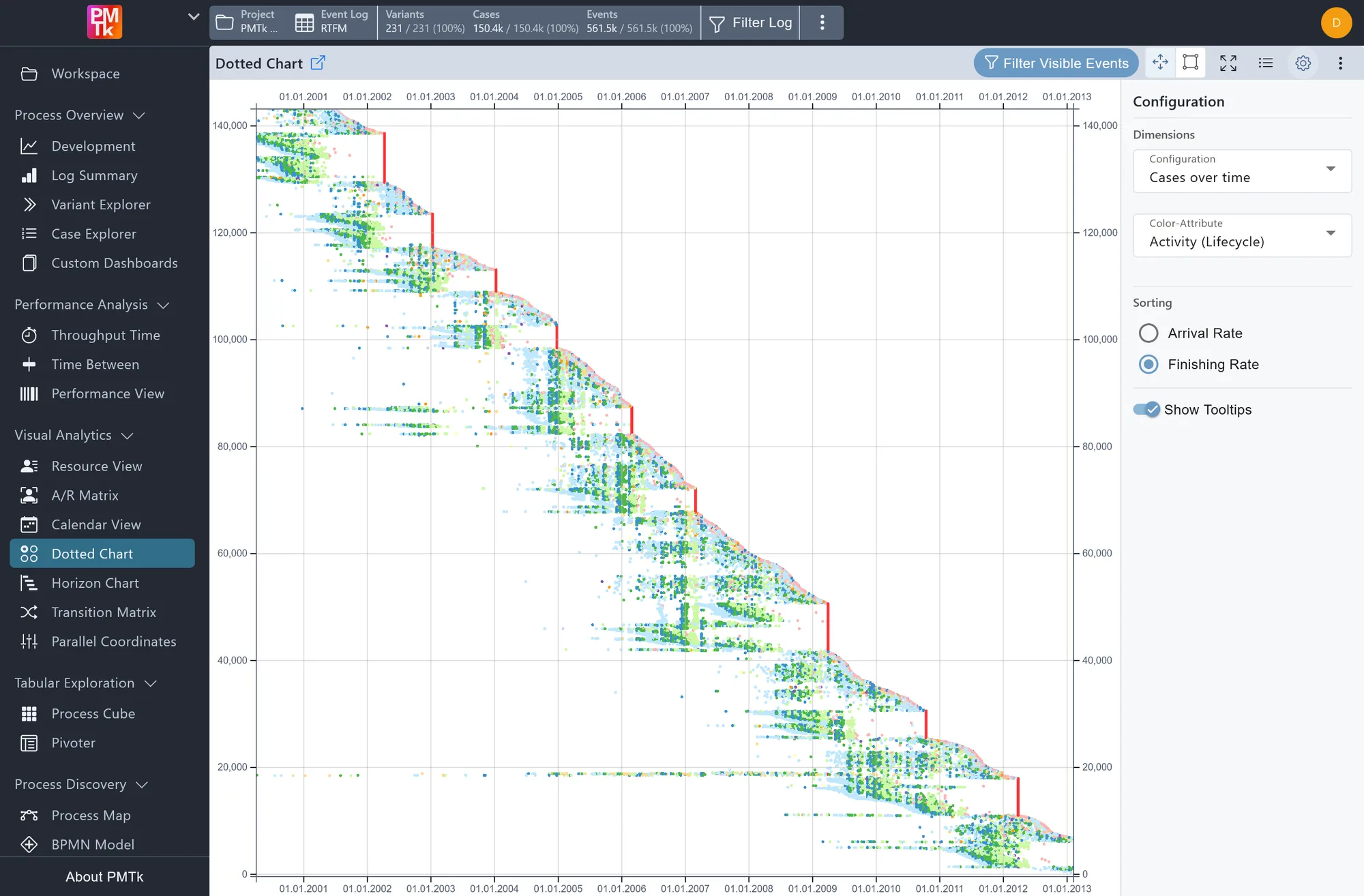
Time PatternsDotted ChartAn X-ray of your process data: every step of every process execution as one dot over time, revealing batch processing, slowdowns and unusual patterns.
Feature Overview
See how your processes really run
Turn the data from your IT systems into a clear picture of your process, created automatically without drawing a diagram by hand.
- Map every step and path, with frequencies and durations
- Simplify complex maps with a few clicks
- Discover, edit and save BPMN diagrams
Know the standard, find the exceptions
Every process execution takes its own route. See which routes are the norm, which are rare, and which take the most time.
- Compare common routes and filter out rare exceptions
- Find the slowest and most costly routes
- Drill down to every detail of a single execution
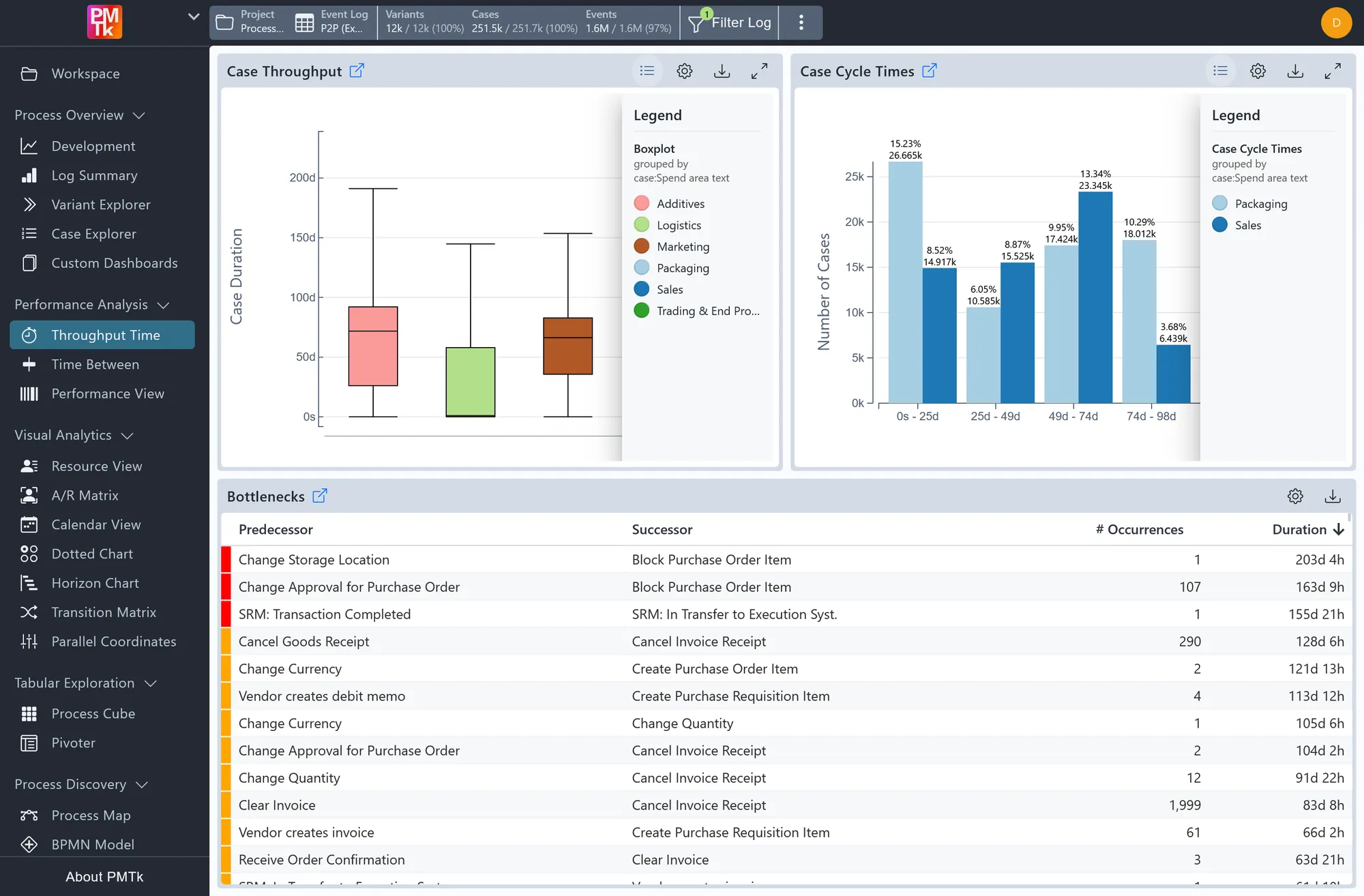
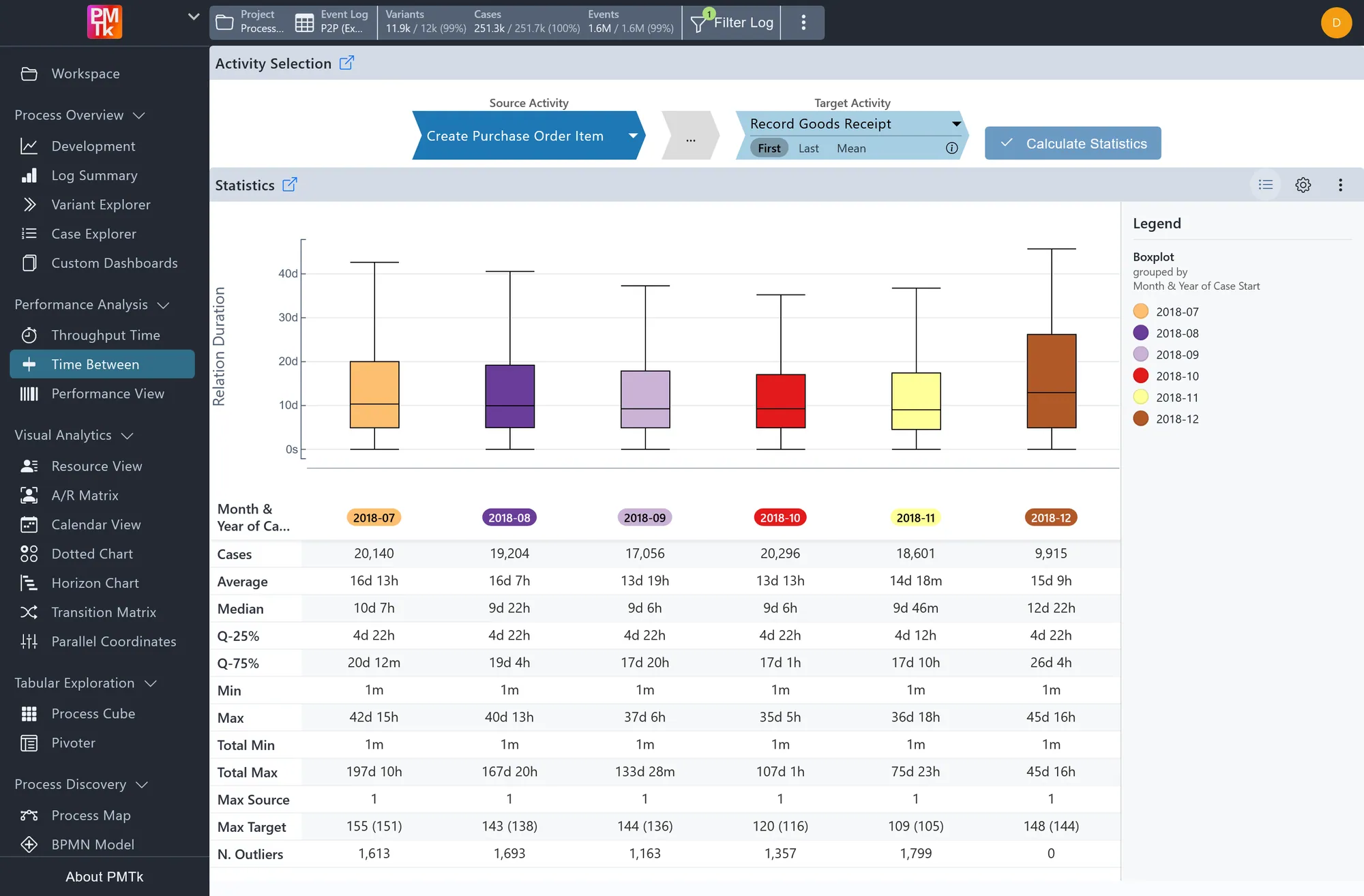
Find out where time gets lost
See how long your process really takes, where waiting times pile up, and which process executions run slower than they should.
- Measure the total duration from start to finish
- Check the waiting time between any two steps
- Filter slow executions to find out what they have in common
See the patterns that numbers hide
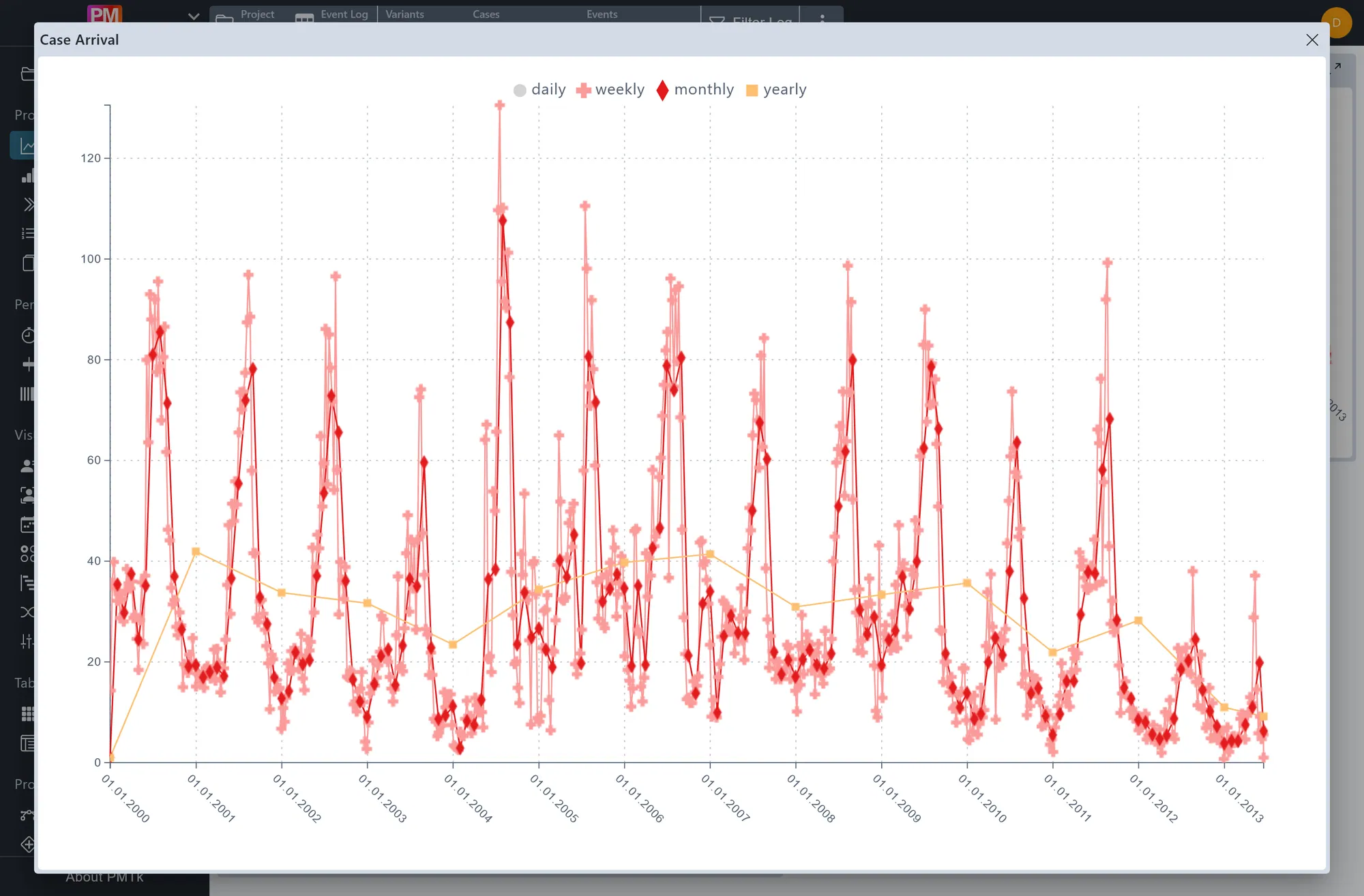
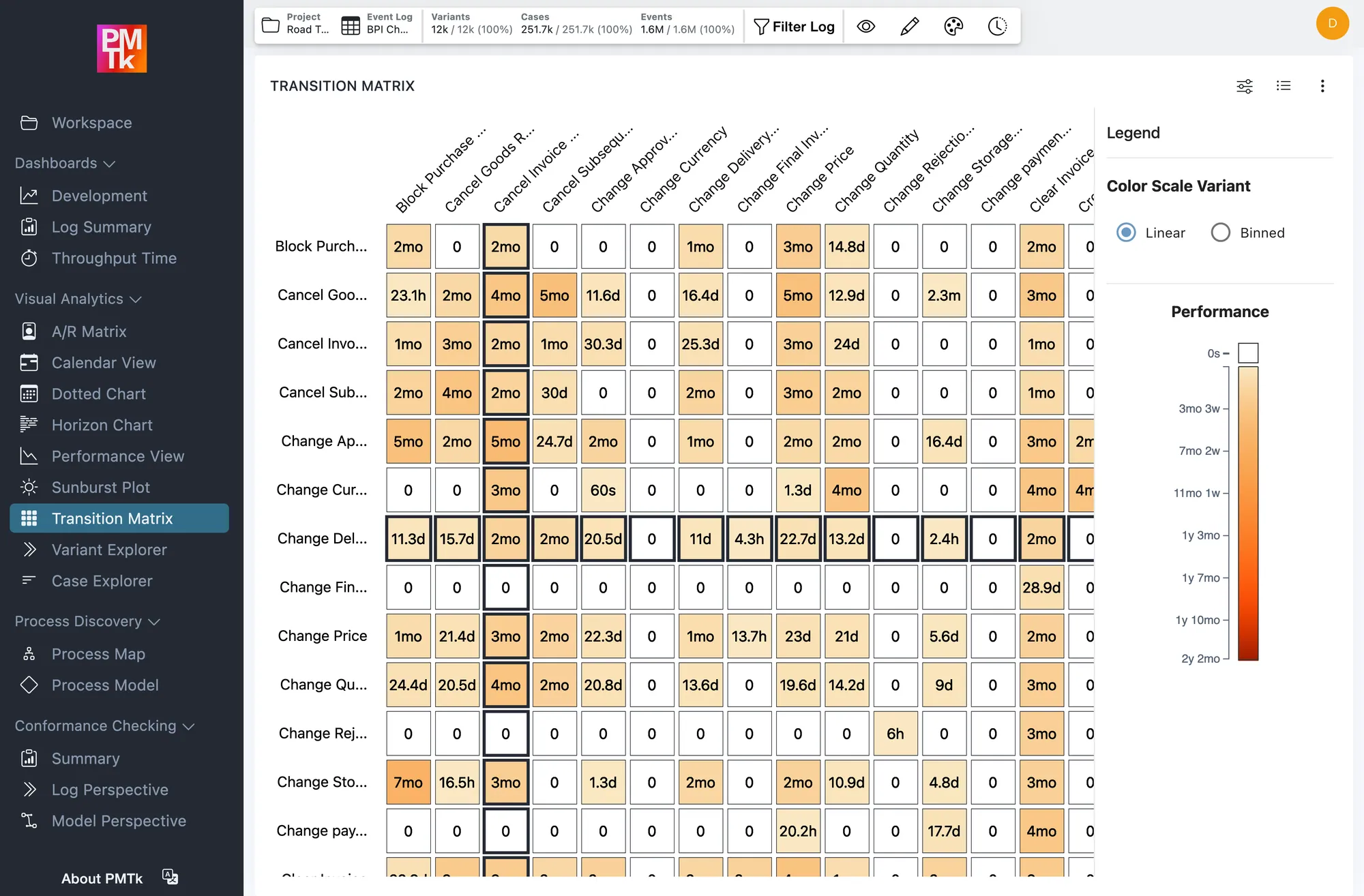
Built-in charts show how your process develops over time, and custom dashboards put your key figures in one place.
- Track workload and trends instantly, with no setup needed
- Build your own dashboards around your key figures
- Discover unusual days, batches and peaks in specialized charts
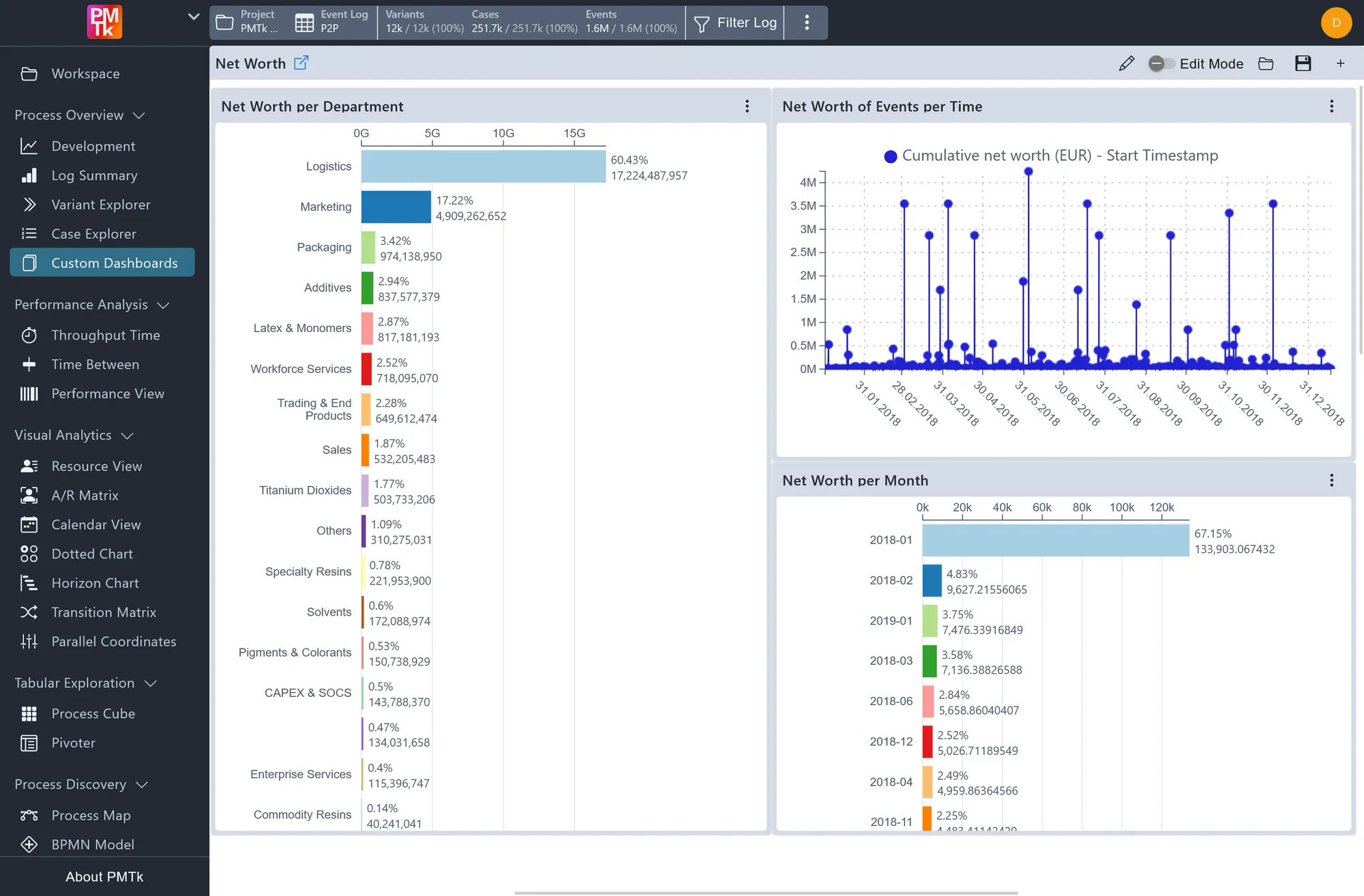
Check if reality matches the plan
Compare how your process actually runs against a reference model, and see exactly where, how often and since when it deviates.
- Measure compliance for entire process executions
- Find out which routes deviate, and where
- Highlight deviations directly in the process model
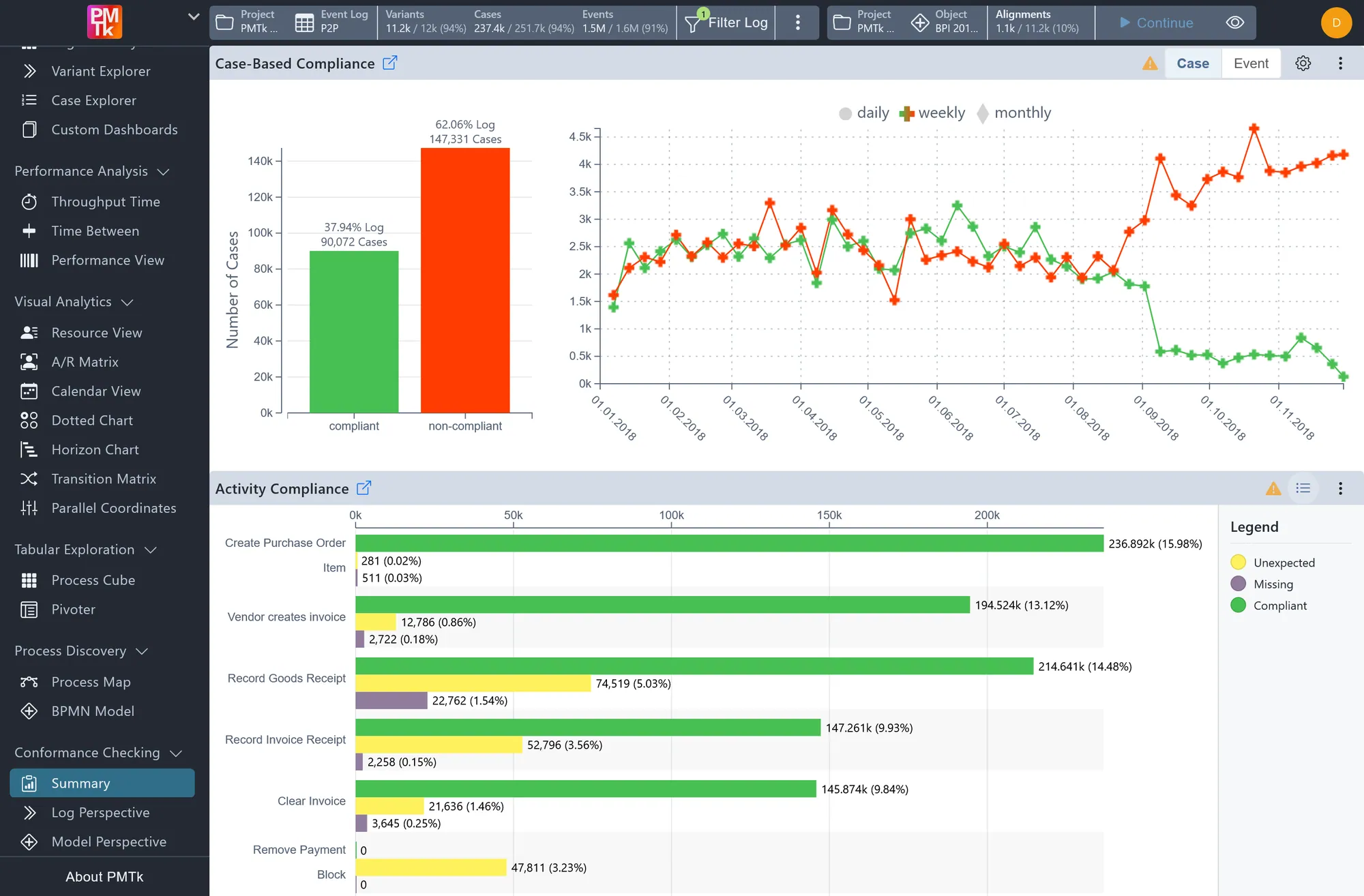
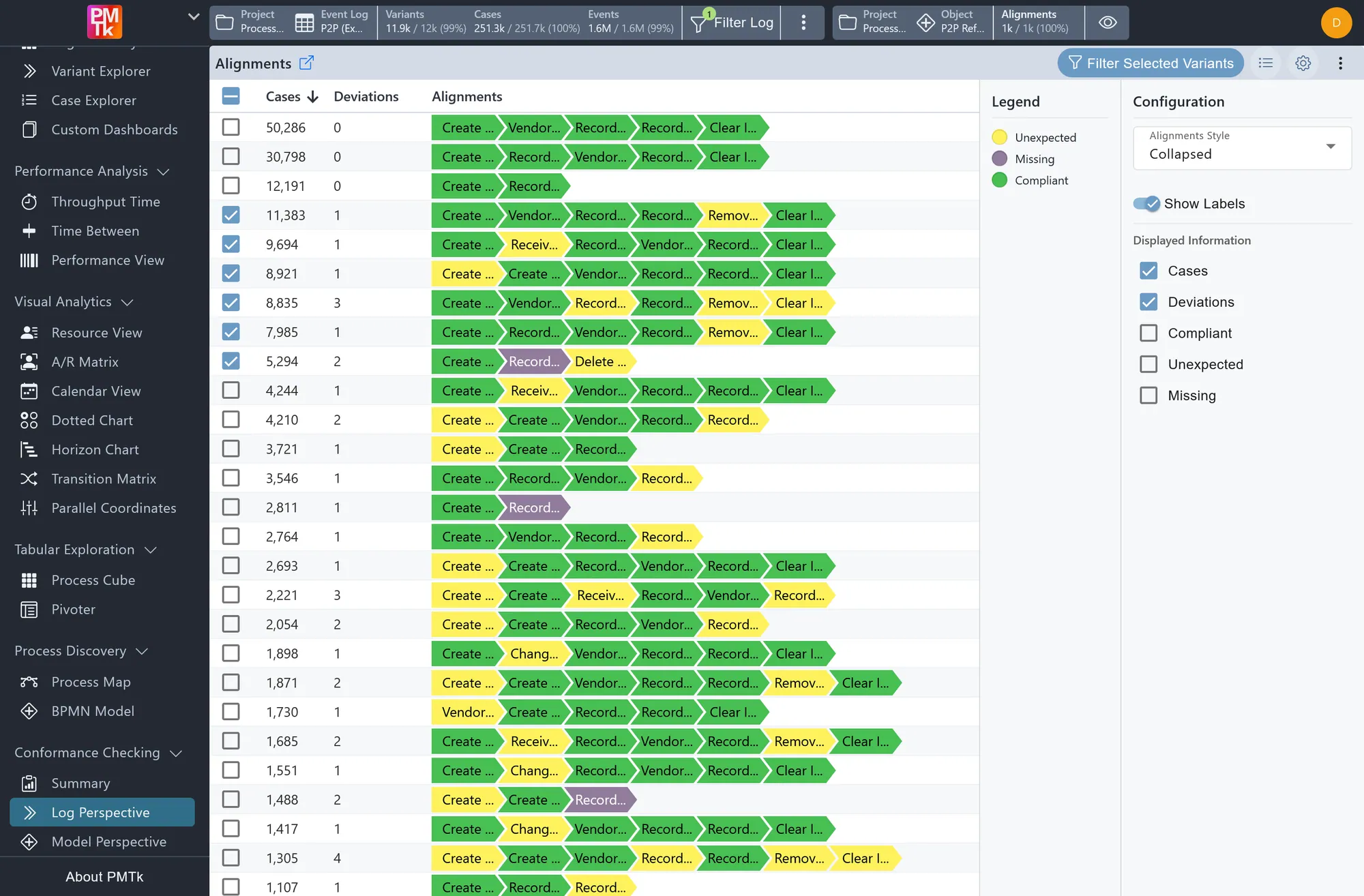
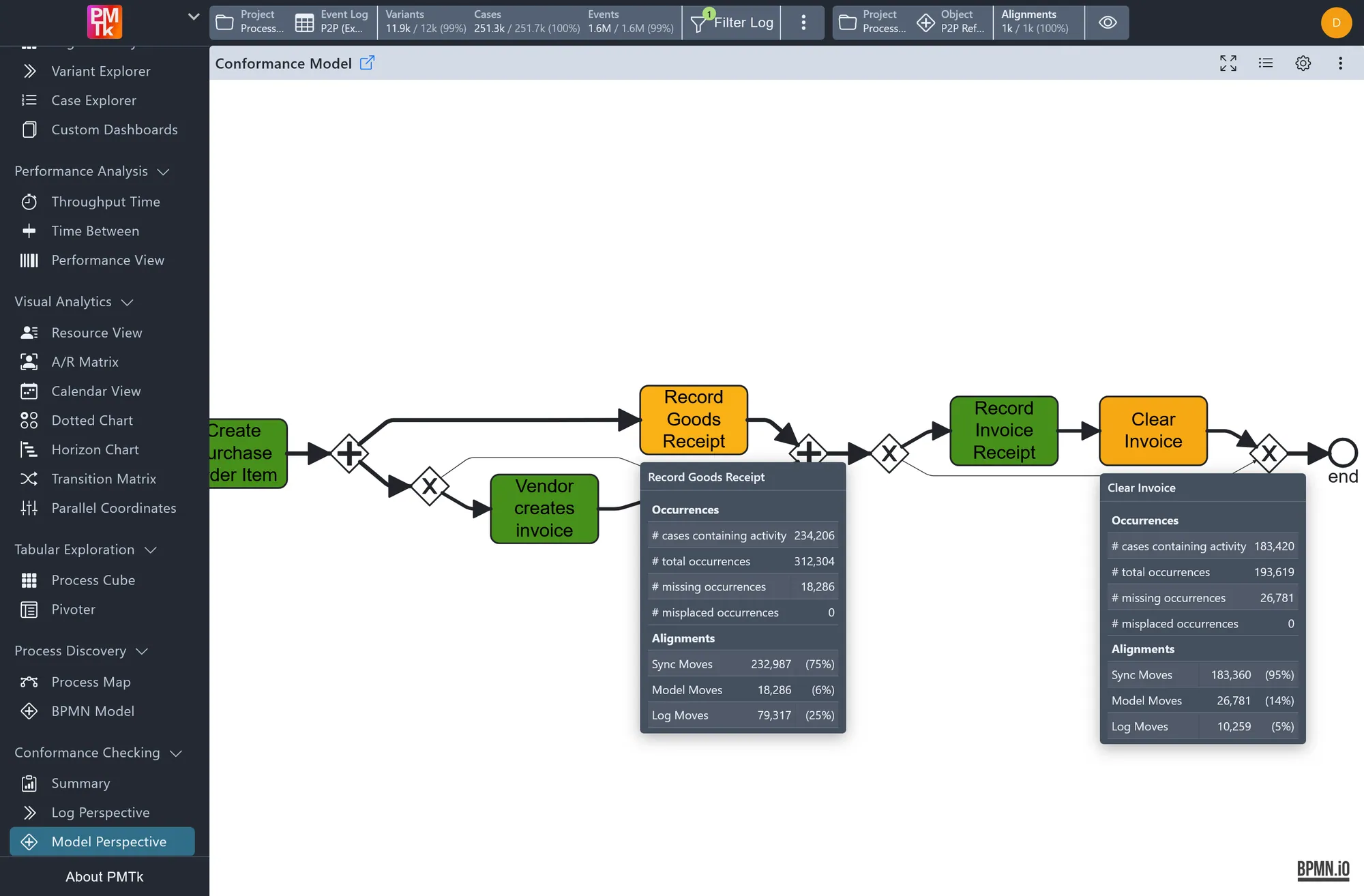
Answer any question about your process
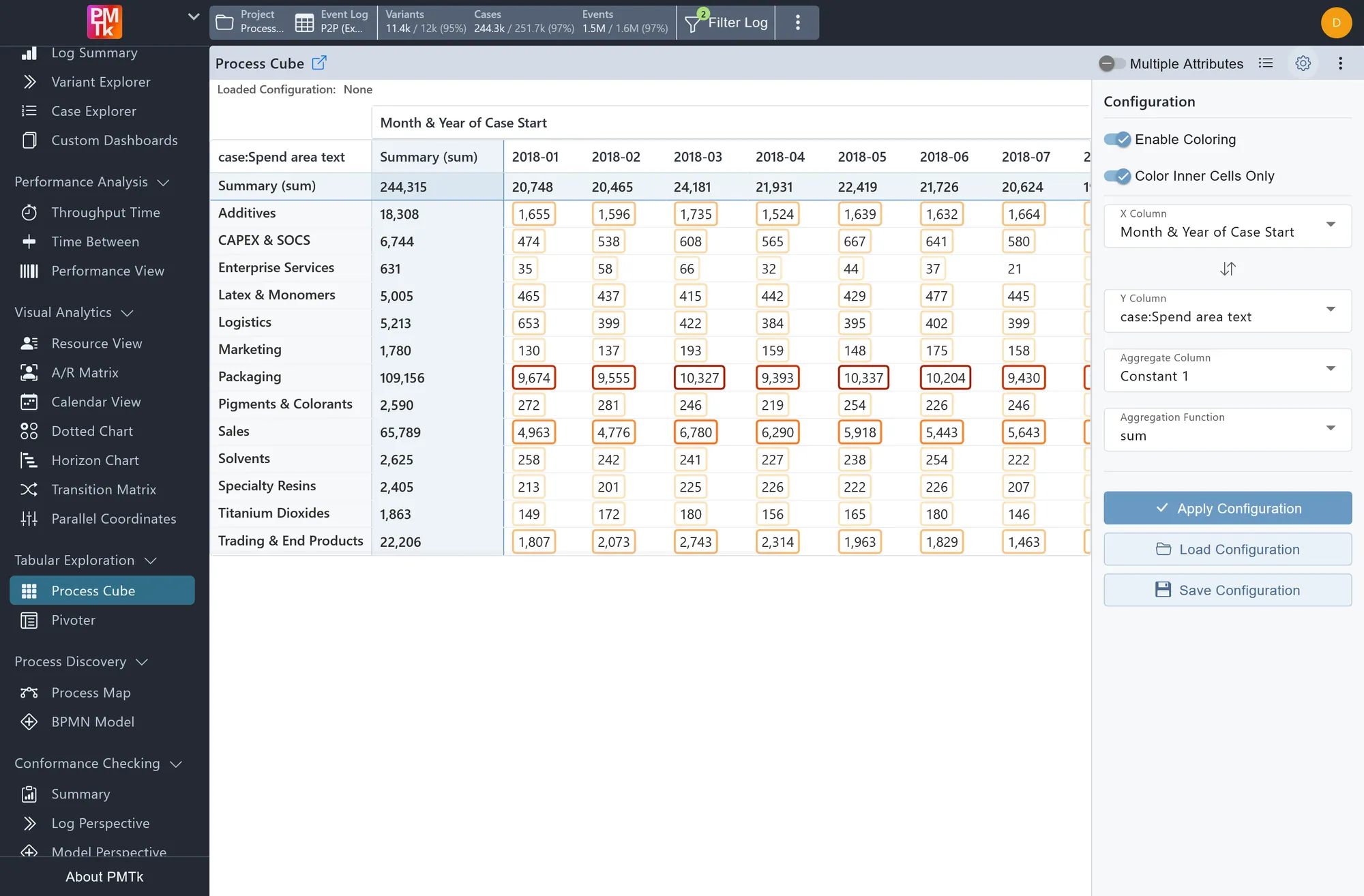
Tables that understand processes: add no-code filters like "invoices paid before approval" for answers no spreadsheet can give.
- Build pivot tables around any attributes in your data
- Compare two attributes at once in the Process Cube
- Choose how each figure is calculated to match your KPIs
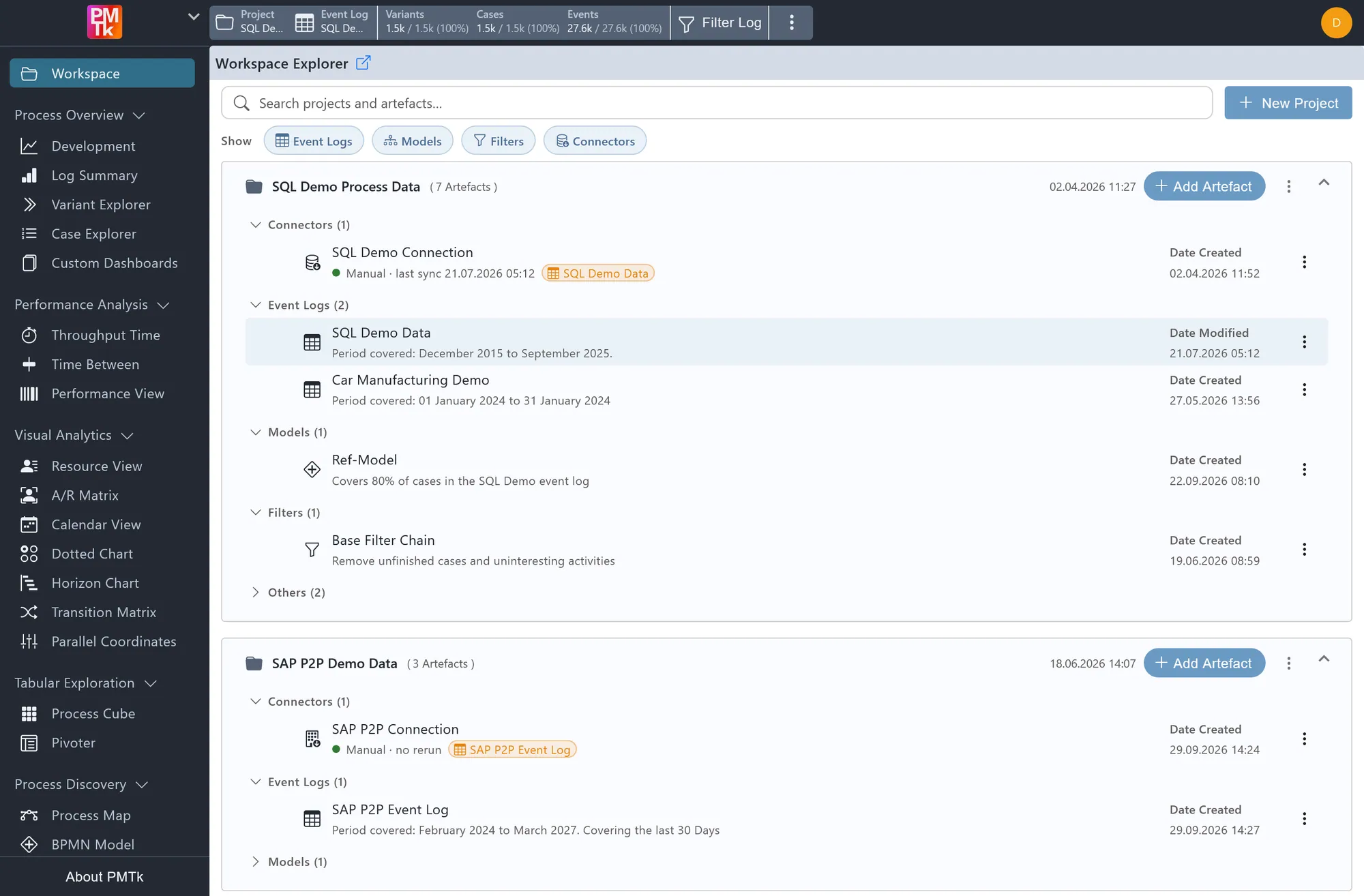
Connect once, stay up to date
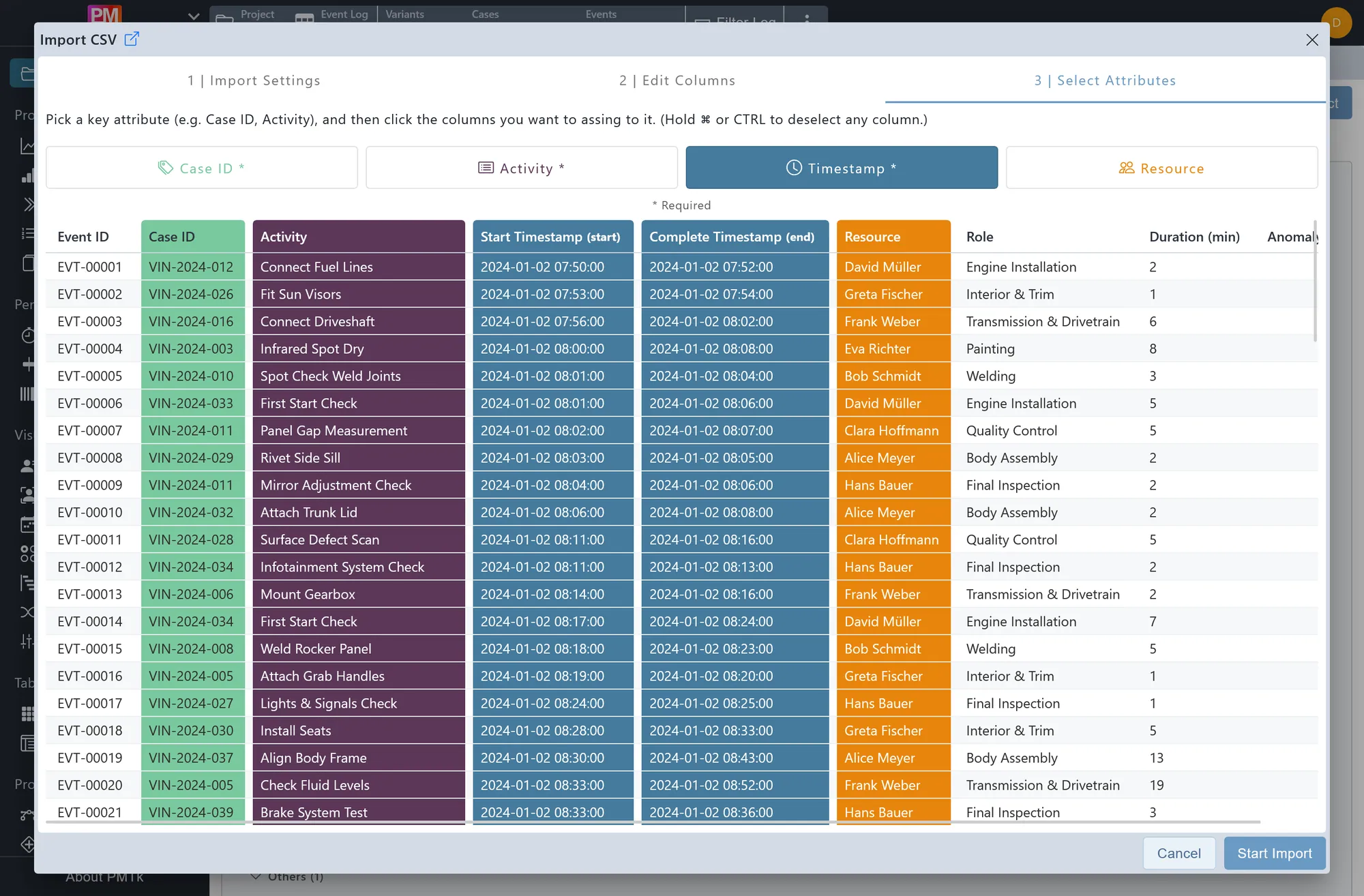
Bring in your data from wherever it's stored, and keep it with process models, filters and other results in projects you can share.
- Connect directly to SQL databases and SAP
- Schedule automatic updates for connected data
- Import files in CSV, XES or BPMN format

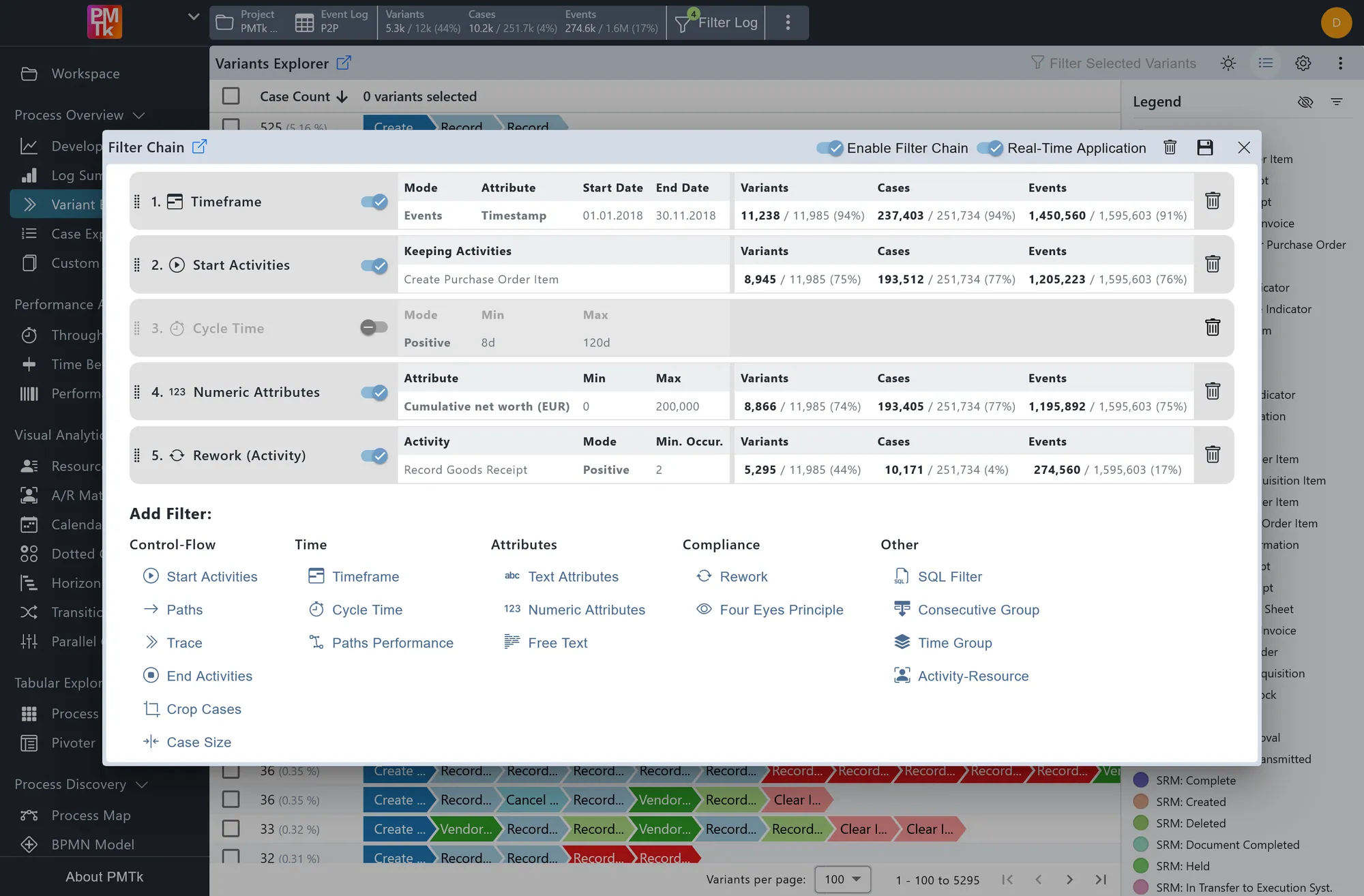
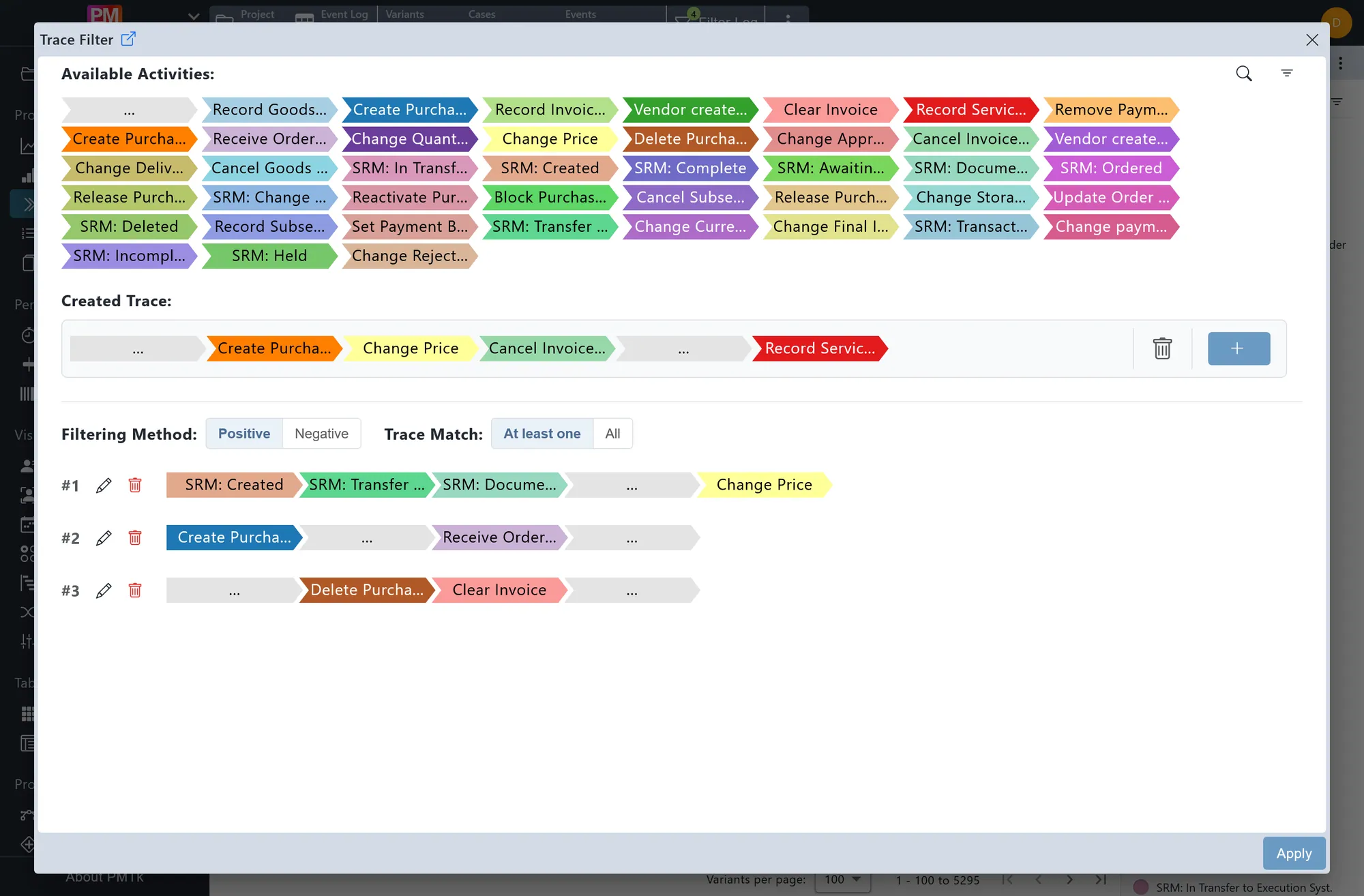
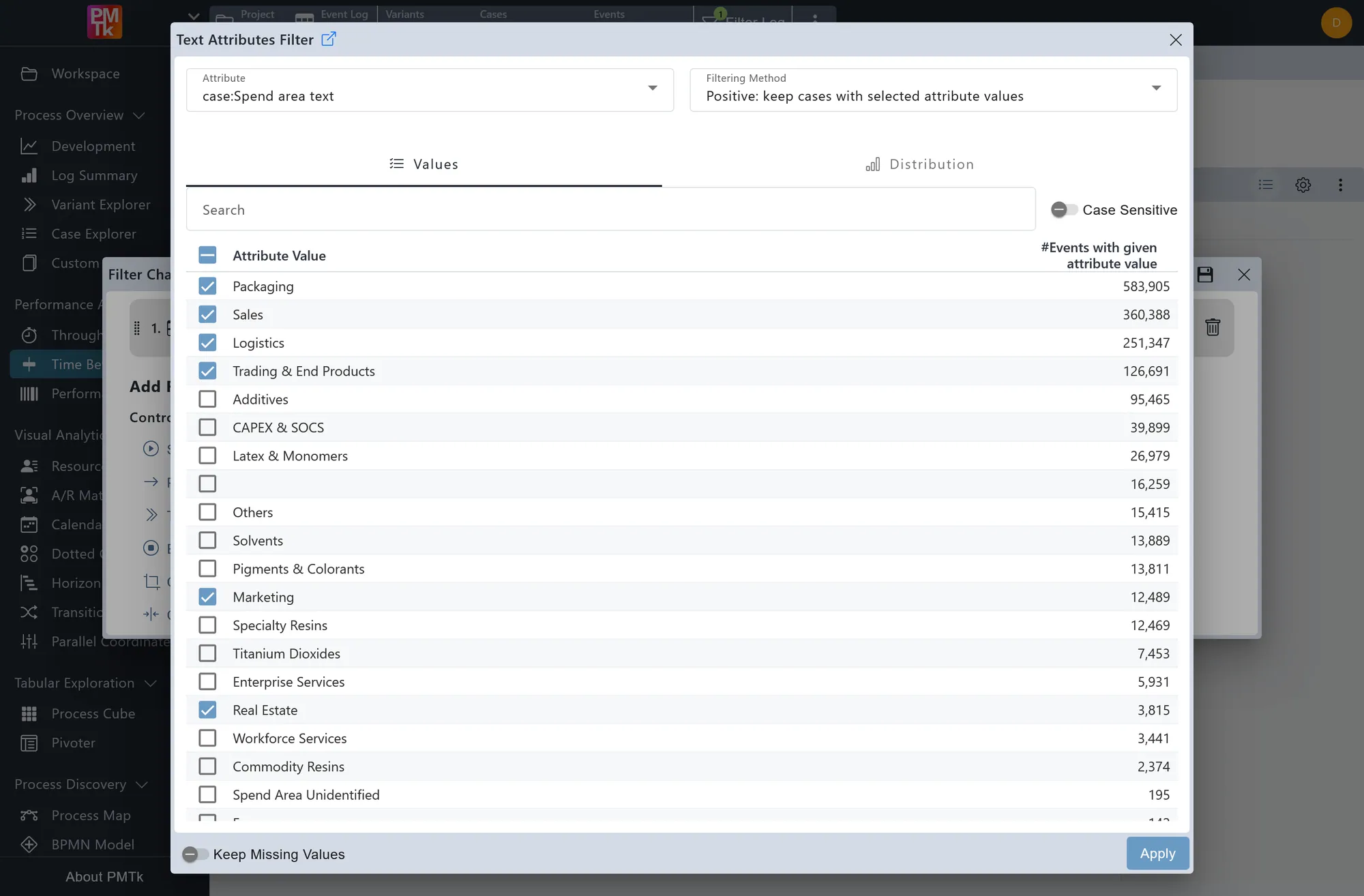
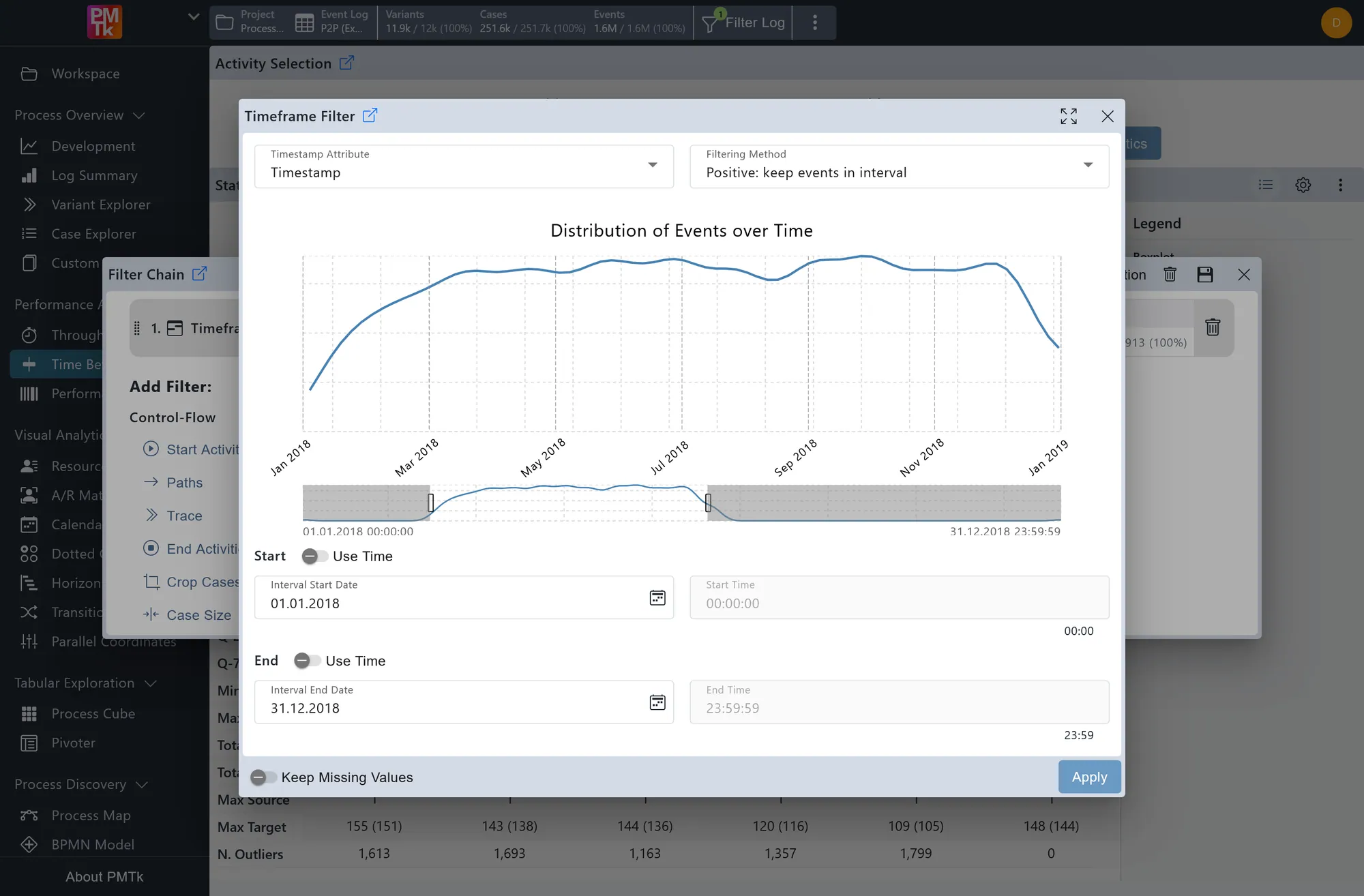
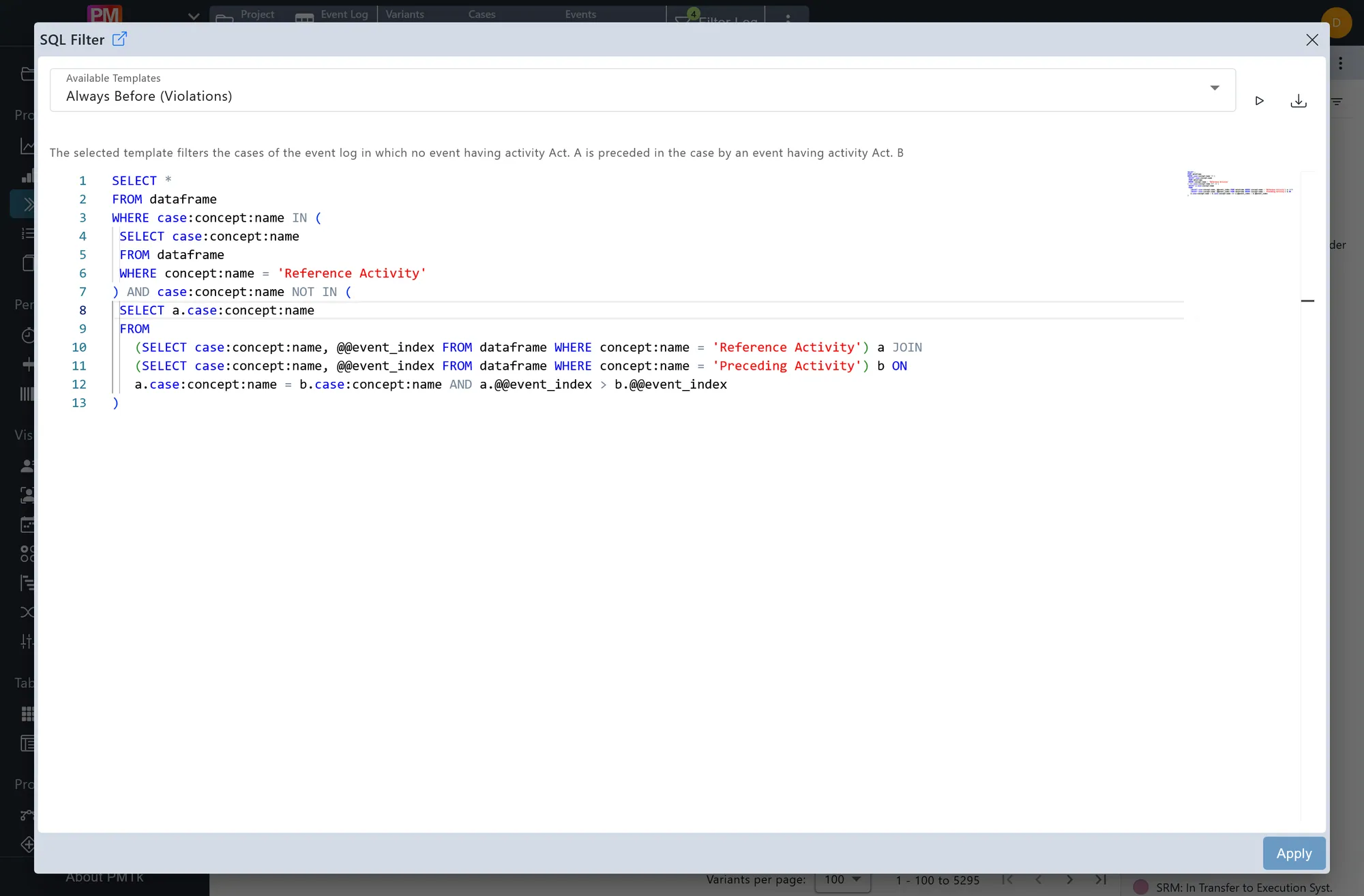
Focus on exactly what matters
Combine filters by time, steps, duration and more, and see right away how much data remains, without writing a single line of code.
- Stack filters step by step and save them for later use
- Filter directly from charts and tables
- Switch to SQL for advanced queries whenever you need it
Find out who does what, and how much
See how work is shared between people, machines, AI agents and systems, and where the workload is out of balance.
- Break down each day into working and waiting time
- Compare workload across teams over time
- See who handles which tasks and spot your specialists
Licensing
Choose where PMTk runs: on your computer, on your own infrastructure, or in our cloud.
| Variant | StandaloneInstalled on your computer | Self-Hosted Most popularFully containerized for easy setup | CloudFully managed by us |
|---|---|---|---|
| Where it runs | Locally on your computer Available for Windows, macOS, and Linux | On your own infrastructure On-premises or with any cloud provider | In our secure cloud Hosted in your preferred region |
| Access | Desktop app | Web browser | Web browser |
| All analysis features | Included | Included | Included |
| Shared projects Collaborative workspace | Not included | Included | Included |
| View users1View-only access | Not supported | Supported | Supported |
| Pricing2 | Per user | Per user | Per user + computing & storage |
1 Many people only need to see results, not work with the data. View users can view and filter analysis results and process monitoring dashboards, but can't import or change data or create analyses. They are licensed at a lower price than full users, and they help you control who can change your data and analyses.
2 The license fee is solely based on the number of users, as well as the computing and storage capacities in the case of the Cloud version, with no licensing restrictions regarding the number of analyzed processes, the volume of processed data, models, or other related factors.
EDU License
Proven educational or research institution members can get a free educational license for the PMTk standalone variant.
The EDU license is specifically designed for students, researchers, and lecturers at academic institutions. It provides free access to PMTk for research and teaching purposes only. The EDU license does not permit the use of PMTk in research projects involving industry partners.
Request an EDU license
Licensing and Pricing
Deployment
Data and Services
About PMTk
