Handling Data Business Hours
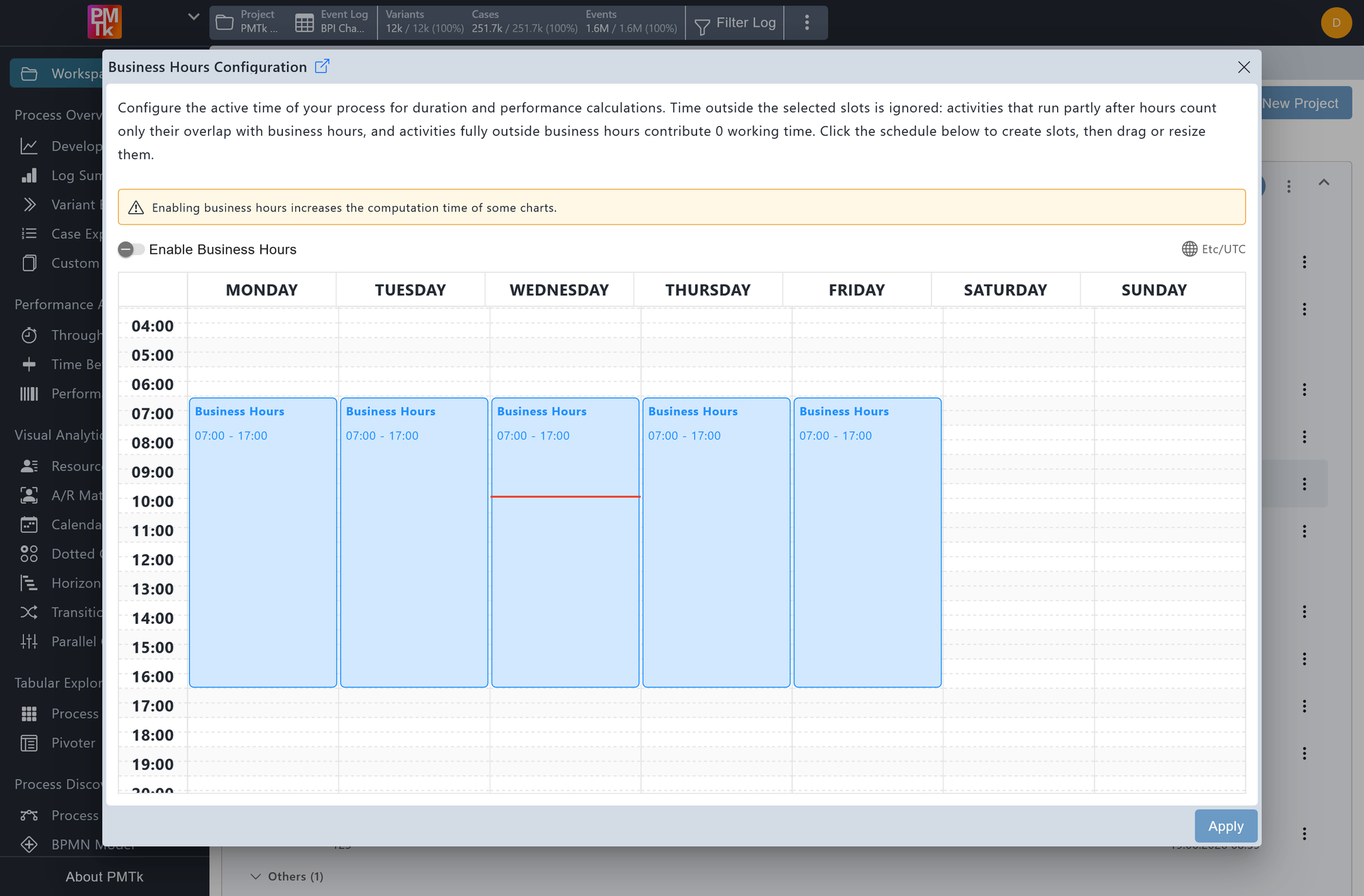
Screenshot shows the Business Hours Configuration dialog. Business hours blocks spanning Monday to Friday from 07:00 AM to 05:00 PM are configured. Saturday and Sunday have no blocks defined, excluding them from performance calculations.
Business Hours lets you define the active working hours of your process. When enabled, time outside the defined blocks, such as nights and weekends, is excluded from performance calculations and time-based analyses.
Note
This feature is currently being reworked and may not be compatible with all PMTk analyses.
Configuring the Schedule
The schedule shows a weekly calendar grid spanning Monday to Sunday, with time of day on the vertical axis. Business hours are represented as blue blocks within this grid.
| Action | Description |
|---|---|
| Create a block | Click and drag over empty cells in a day column to create a new business hours block covering the selected time range. |
| Resize a block | Drag the top or bottom edge of an existing block to adjust its start or end time. |
| Remove a block | Click on an existing block. You will be asked to confirm before it is deleted. |
Enabling Business Hours
Check the Enable Business Hours toggle at the top of the dialog to activate the configured schedule.
Click Apply to save the configuration, or close to discard any changes.
