Data Filtering Activity Resource
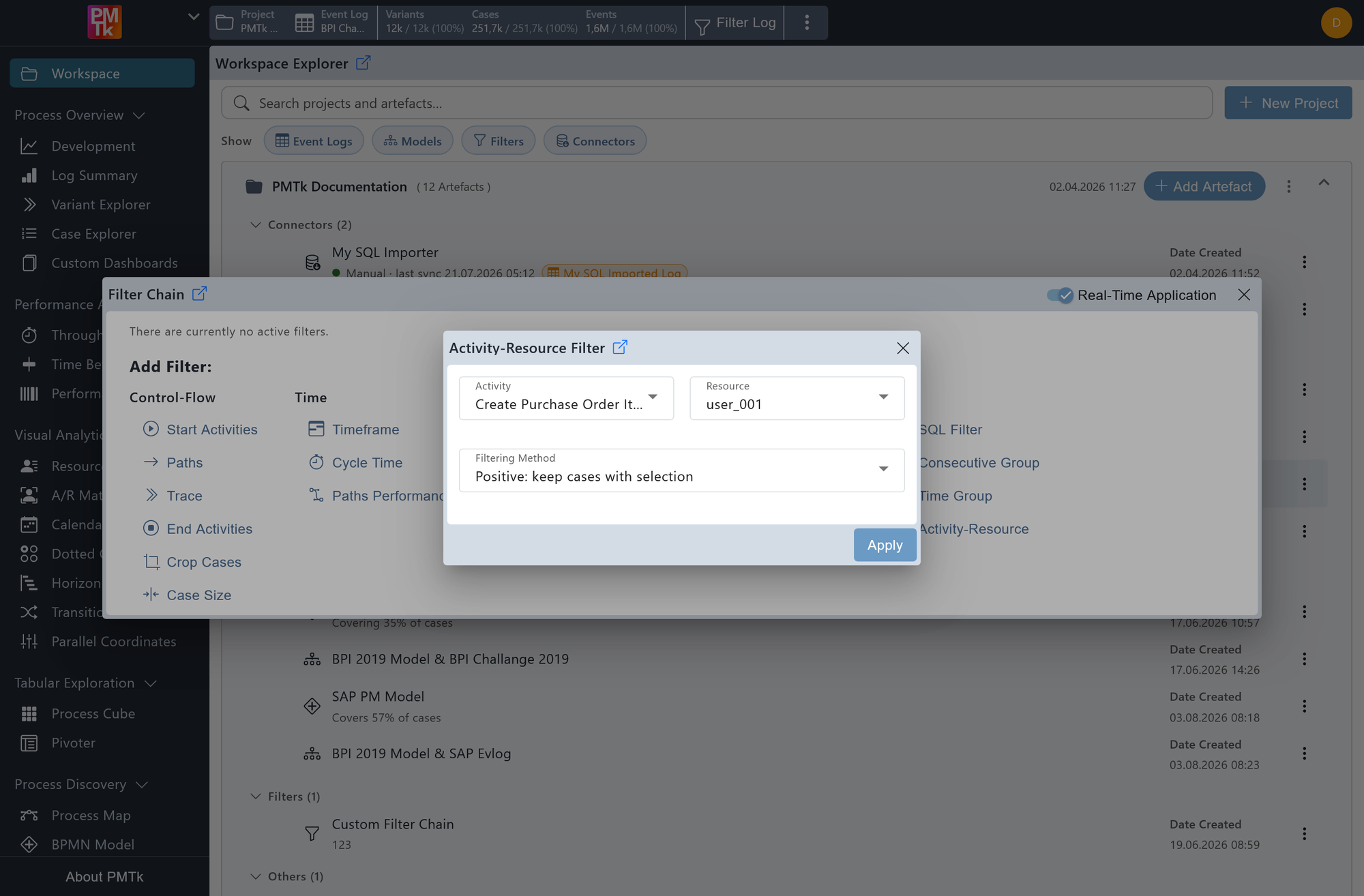
Screenshot shows the Activity-Resource Filter dialog with the activity set to Create Purchase Order Item and the resource set to user_001. The filtering method is set to Positive: keep cases with selection, retaining only cases where user_001 performed this activity.
The Activity-Resource Filter allows you to filter the event log based on a specific combination of an activity and the resource that performed it.
Activity
The activity to match against.
Resource
The resource that must have performed (or not performed) the selected activity.
Filtering Method
| Option | Description |
|---|---|
| Cases | |
| Positive: keep cases with selection | Retains only cases that include at least one event where the selected resource performed the selected activity. |
| Negative: remove cases with selection | Removes all cases that include at least one event where the selected resource performed the selected activity. |
| Events | |
| Positive: keep matching events | Keeps only the individual events matching the activity-resource combination, removing all other events from the log. |
| Negative: remove matching events | Removes all individual events matching the activity-resource combination, leaving the rest of the log intact. |
On applying the filter, a corresponding entry is appended to the Filter Chain. Existing filters can be reviewed, reordered, and removed in the Filter Chain.
