Data Filtering Four Eyes Principle
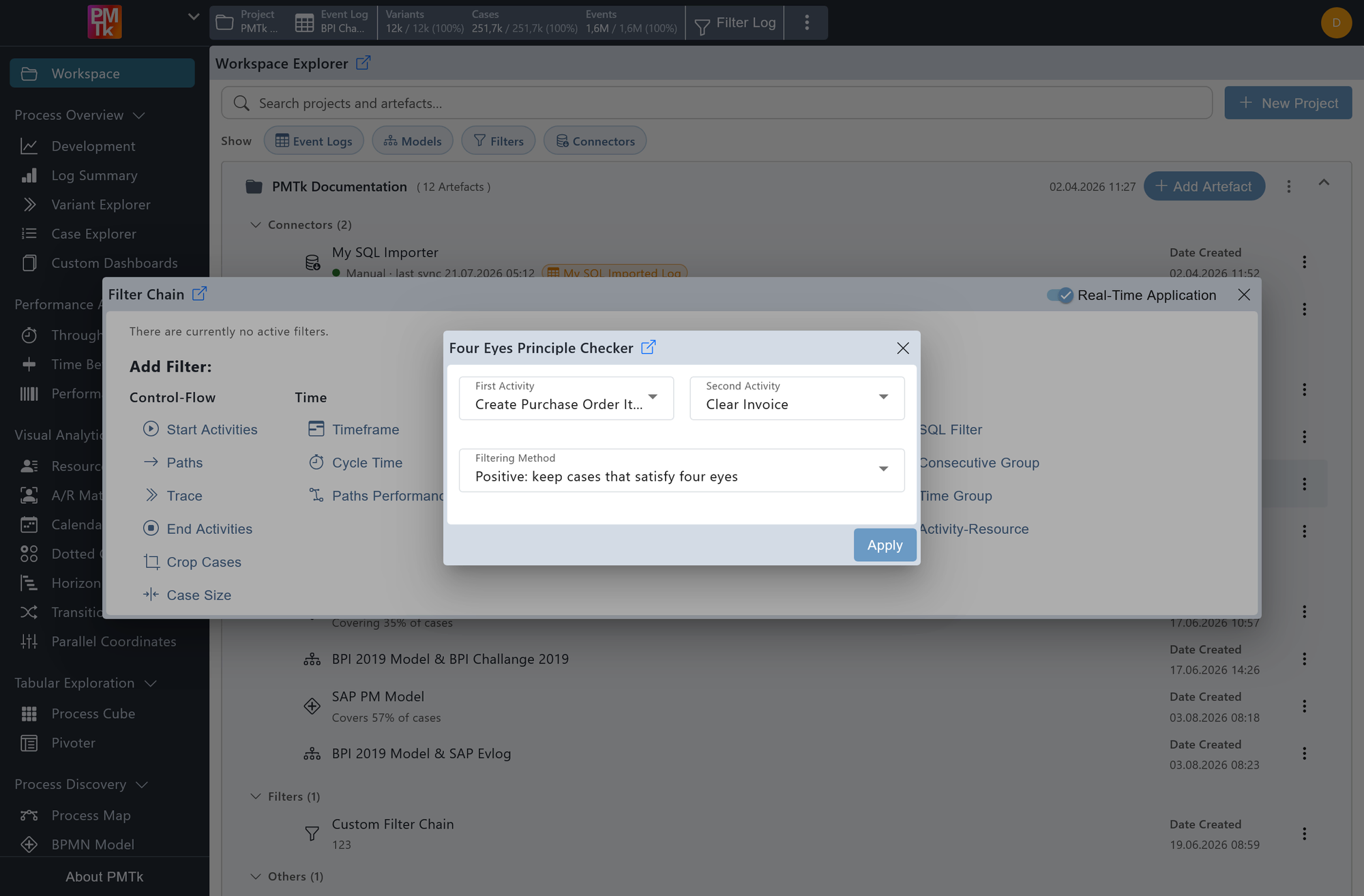
Screenshot shows the Four Eyes Principle Filter dialog with the first activity set to Create Purchase Order Item and the second activity set to Clear Invoice. The filtering method is set to Positive: keep cases that satisfy four eyes, retaining only cases where these two activities were performed by at least two different resources.
The Four Eyes Principle Filter allows you to verify and enforce separation of duties between two activities. It checks whether the two specified activities were performed by different resources within the same case.
First Activity
The first activity to check for resource involvement.
Second Activity
The second activity to check for resource involvement.
Filtering Method
- Positive: keep cases that satisfy four eyes: Retains only cases where at least one occurrence of the first activity and at least one occurrence of the second activity were performed by different resources.
- Negative: remove cases that satisfy four eyes: Removes all cases where at least one occurrence of the first activity and at least one occurrence of the second activity were performed by different resources.
This filter is particularly useful for compliance and audit scenarios where regulatory or internal policies require that certain process steps are not carried out by the same person.
On applying the filter, a corresponding entry is appended to the Filter Chain. Existing filters can be reviewed, reordered, and removed in the Filter Chain.
