Data Filtering Path Performance
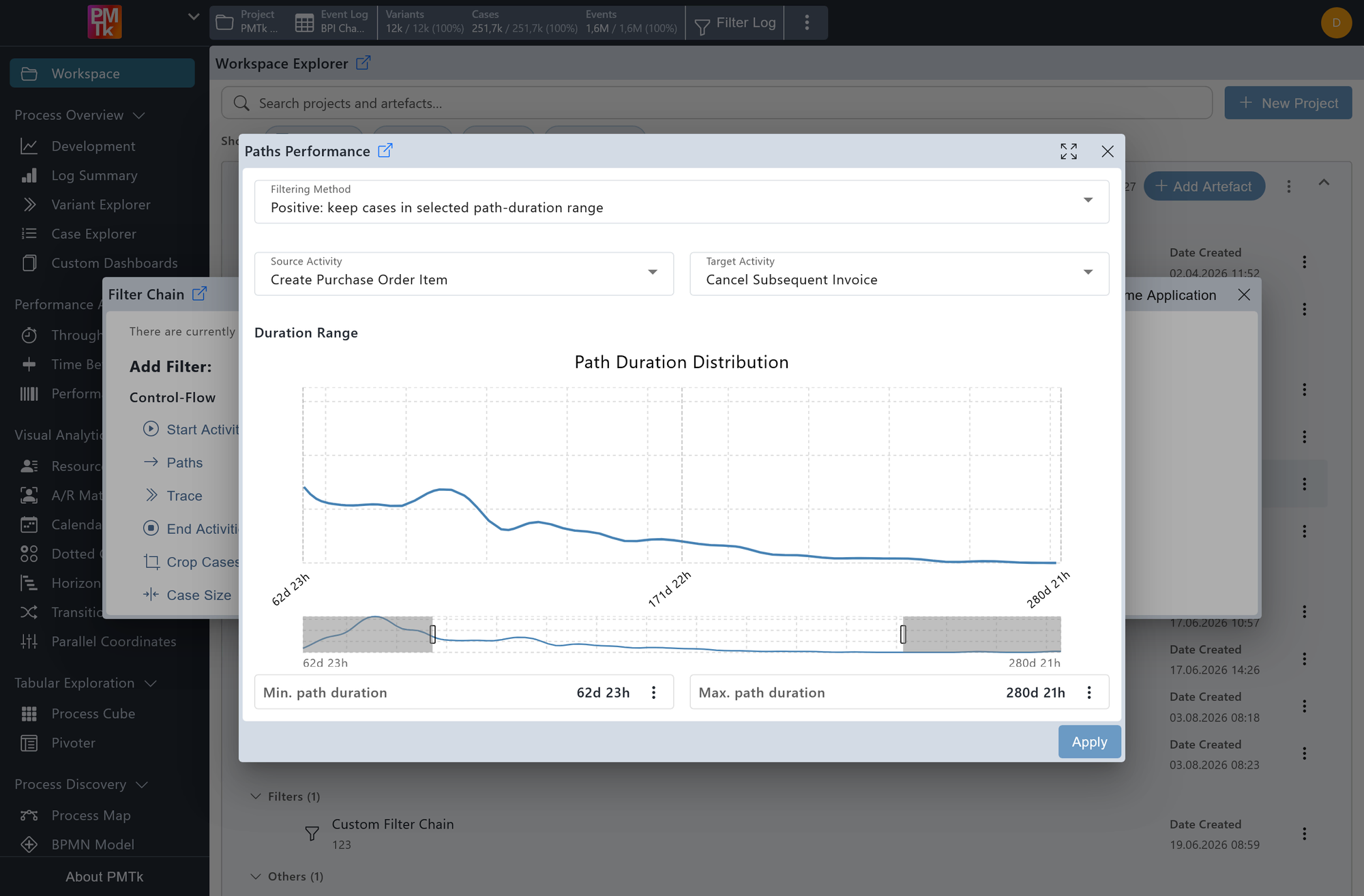
Screenshot shows the Paths Performance dialog with the filtering method set to Positive: keep cases in selected path-duration range. The selected path runs from Create Purchase Order Item to Cancel Subsequent Invoice. The duration range spans from 2 months 1 day 16 hours to 8 months 3 weeks, with the path duration distribution chart displayed above the range slider.
The Paths Performance Filter allows you to restrict the event log based on the duration of an eventually-follows relation between two specified activities. Cases that do not contain the specified relation at all are removed entirely.
Select Path
The Source Activity and Target Activity dropdowns define the path for duration measurement. Only cases containing an eventually-follows relation from the source to the target activity are considered. Cases where this relation does not exist are excluded regardless of the duration range.
Filtering Method
Controls how the selected duration range is applied:
- Positive: keep cases in selected path-duration range: Retains only cases where the duration of the specified path falls within the selected range.
- Negative: remove cases in selected path-duration range: Removes all cases where the duration of the specified path falls within the selected range.
Duration Range
The distribution chart displays the spread of path durations across all qualifying cases. The minimum and maximum duration bounds can be defined in two ways:
- Distribution chart: Click and drag directly on the chart or drag the handles on the range slider below the chart to mark a range. The current min and max values are displayed beneath the slider. Double-clicking the chart or clicking in the top-right corner resets the selection to the full range.
- Manual input: Clicking button next to either the minimum or maximum duration field opens a dedicated input dialog where the duration can be specified in Days, Hours, Minutes, and Seconds.
Cases where the duration of the specified path falls within the selected range (inclusive) are retained or removed depending on the selected Filtering Method.
On applying the filter, a corresponding entry is appended to the Filter Chain. Existing filters can be reviewed, reordered, and removed in the Filter Chain.
