Data Filtering Paths
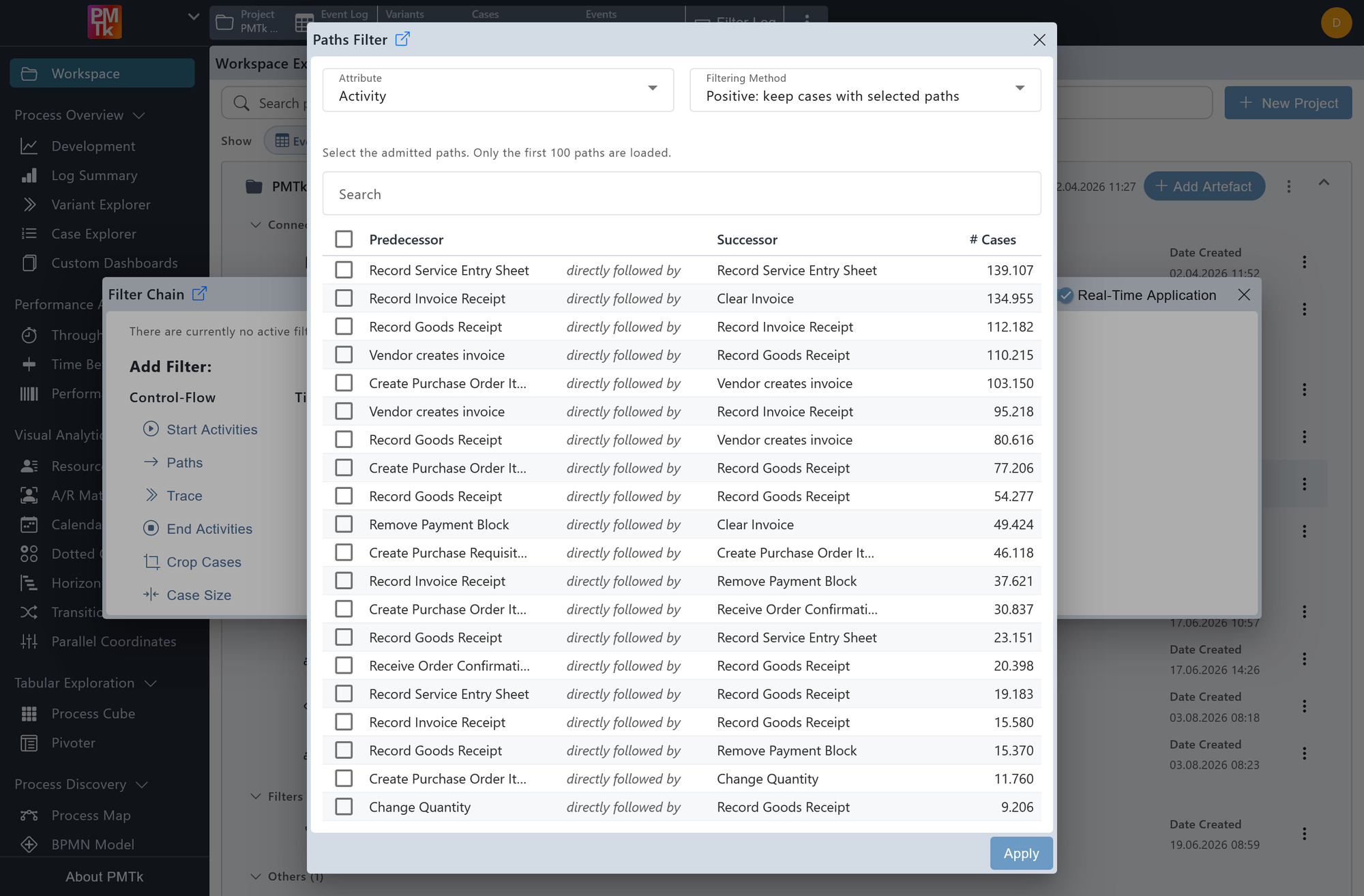
Screenshot shows the Paths Filter dialog. Directly-follows relations are listed by predecessor and successor activity alongside their trace count, sorted by frequency. The filtering method is set to positive, meaning only cases containing the selected transitions will be retained.
The Paths Filter allows you to restrict the event log based on directly-follows relations between attribute values. By selecting one or more predecessor-successor pairs, you can retain or remove all cases that contain those transitions.
Attribute
Determines which event attribute is used to define the paths. Defaults to Activity, but can be changed to any other available event-level attribute.
Filtering Method
Controls how the selected paths are applied:
- Positive: Retains only cases that contain at least one of the selected directly-follows relations.
- Negative: Removes all cases that contain any of the selected directly-follows relations.
The dialog presents the first 100 most frequent directly-follows relations for the selected attribute, each showing the predecessor value, the successor value, and the number of traces in which that transition occurs. A search bar allows you to filter the list by name when looking for a specific path. Relations can be sorted by column by clicking the respective column header. Select one or more relations using the checkboxes, then click Apply to confirm.
On applying the filter, a corresponding entry is appended to the Filter Chain. Existing filters can be reviewed, reordered, and removed in the Filter Chain.
