Data Filtering Start & End Activities
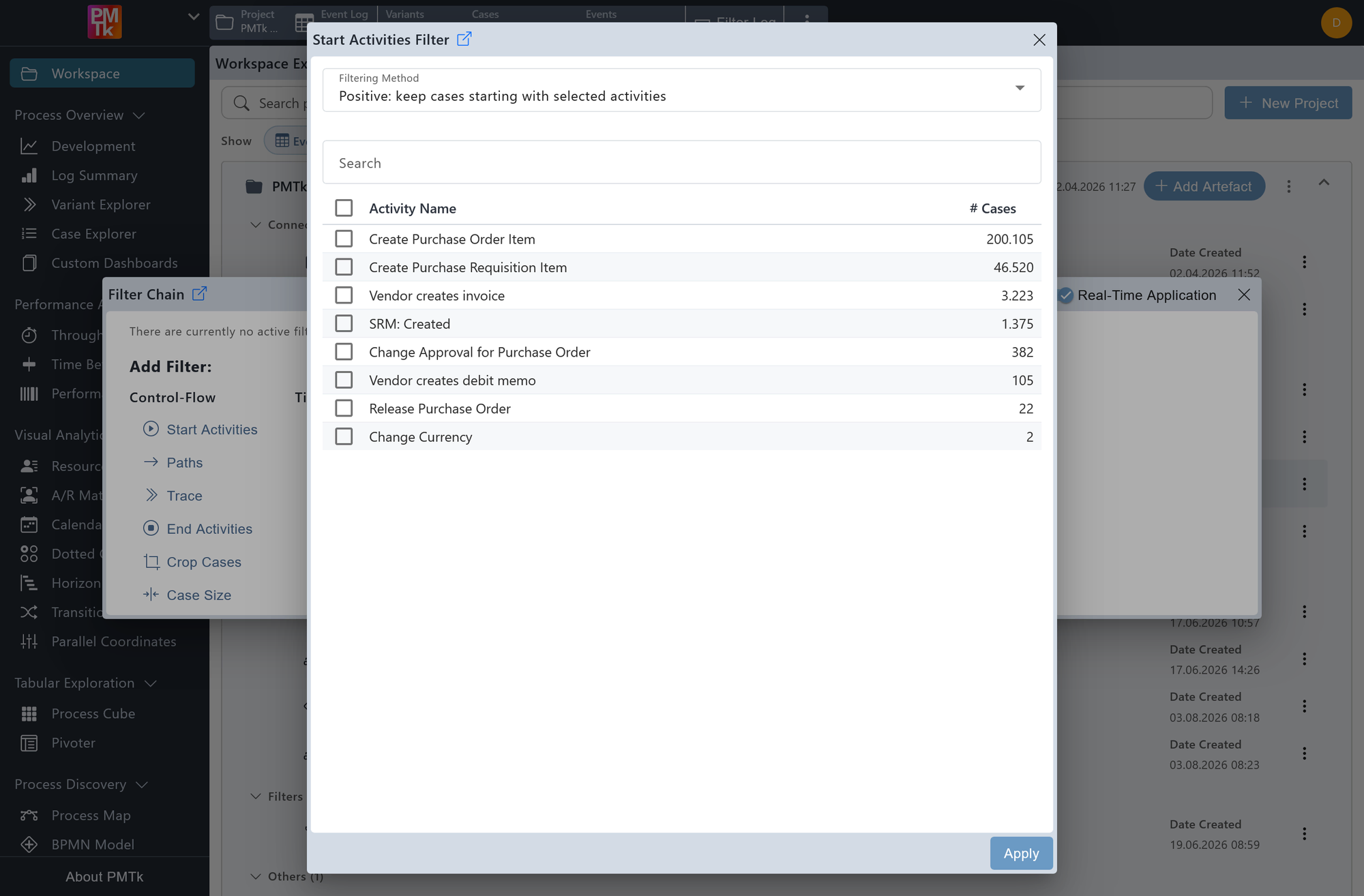
Screenshot shows the Start Activities Filter dialog. All possible start activities are listed alongside the number of cases beginning with each one. The user can select one or more activities and apply the filter to retain only matching cases.
The Start Activities Filter and End Activities Filter allow you to restrict the event log to cases that begin or end with a specific set of activities respectively. Both filters share the same interaction pattern and dialog layout.
Filtering Method
Controls how the selected activities are applied:
- Positive: keep cases starting (or ending) with selected activities: Retains only cases whose first (or last) activity matches one of the selected entries.
- Negative: remove cases starting (or ending) with selected activities: Removes all cases whose first (or last) activity matches one of the selected entries.
When opened, the dialog presents a list of all activities that appear as the first (or last) event in at least one case, along with the number of cases that start (or end) with each activity. Select one or more activities using the checkboxes, then click Apply to confirm. Clicking Cancel closes the dialog without applying any changes.
The list can be sorted in ascending or descending order by either column by clicking on the respective column header.
On applying the filter, a corresponding entry is appended to the Filter Chain. Existing filters can be reviewed, reordered, and removed in the Filter Chain.
