Data Filtering Trace
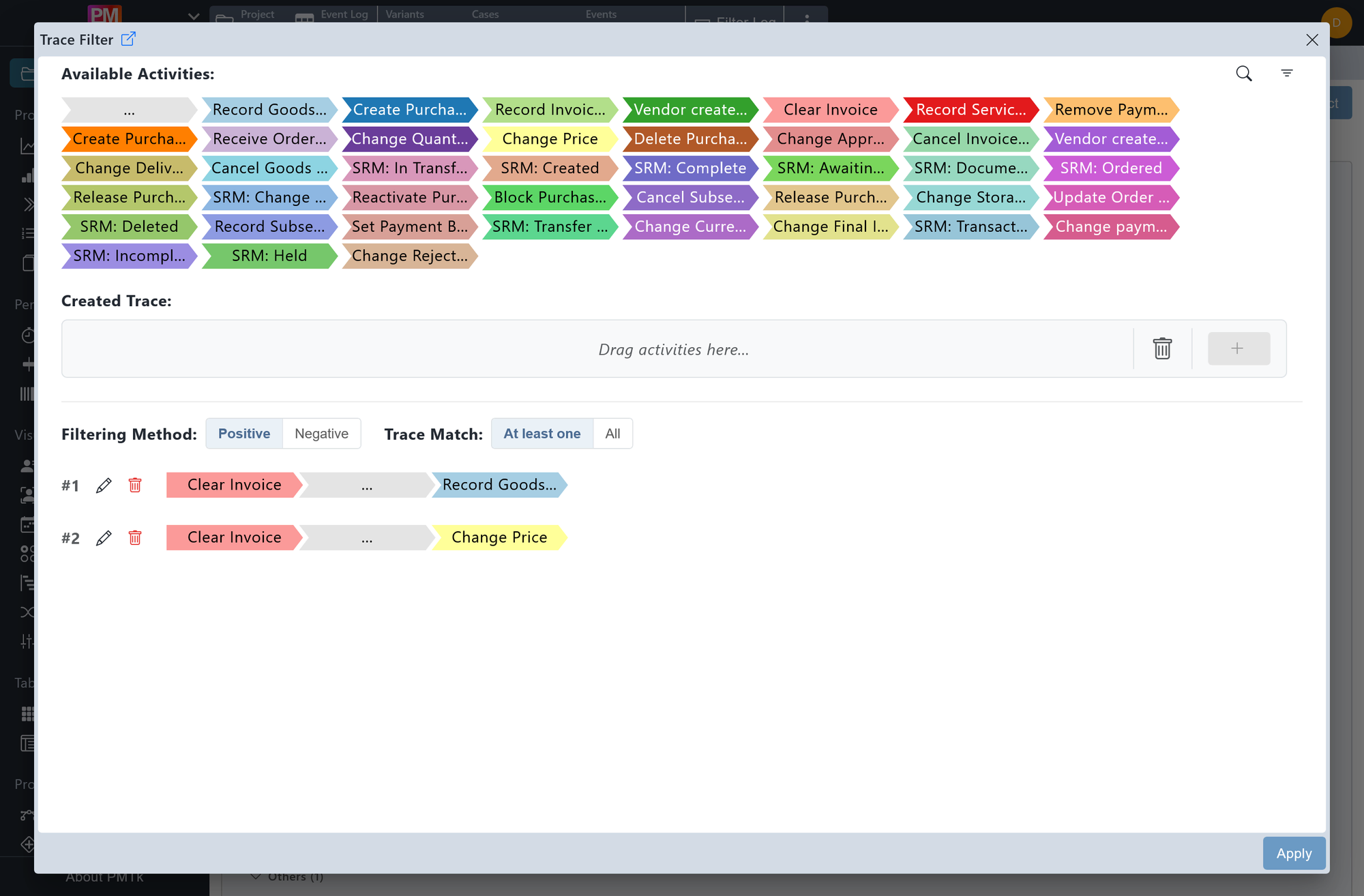
Screenshot shows the Trace Filter dialog. The available activities panel displays all activities as color-coded chevrons. The lower section contains one defined trace indicating cases which start with Clear Invoice and end with Record Goods Receipt. The filtering method is set to Positive and the trace match is set to At least one.
The Trace Filter allows you to filter cases based on custom activity sequences you define manually. This makes it possible to target very specific process patterns, from exact end-to-end traces to partial sequences occurring anywhere within a case.
Building a Trace
The upper section of the dialog displays all available activities as color-coded chevrons. Use to search for a specific activity, and to sort the list (alphabetically or by frequency, ascending or descending). A trace is constructed in the Created trace area by either dragging activities from the pool into it, or clicking on an activity to append it to the end of the current trace. The special ... token represents an arbitrary number of intermediate steps and can be placed between activities to indicate that the sequence does not need to be directly contiguous.
The positioning of ... is significant:
- A trace without leading or trailing ... (e.g. A → B) matches only cases that start with A, are directly followed by B, and end there (i.e., an exact full sequence match).
- A trace with surrounding ... (e.g. ... → A → B → ...) matches any case containing A directly followed by B at some point, regardless of what precedes or follows.
To clear the entire trace, click . To remove a single activity from the trace, drag it onto .
Once the trace is ready, click to add it to the list of traces in the lower section.
Managing Traces
The lower section shows all traces currently included in the filter. Each trace can be:
- Edited: Click to move the trace back into the Created trace area for modification.
- Deleted: Click to remove it from the filter entirely.
Trace Match
Controls how multiple traces in the filter are evaluated against each case:
- At least one: A case is considered a match if it matches any one of the defined traces.
- All: A case is considered a match only if it matches every defined trace.
Filtering Method
Controls how cases matching the Trace Match criteria above are treated:
- Positive: Retains cases that match the criteria.
- Negative: Removes cases that match the criteria.
On applying the filter, a corresponding entry is appended to the Filter Chain. Existing filters can be reviewed, reordered, and removed in the Filter Chain.
