Settings Appearance
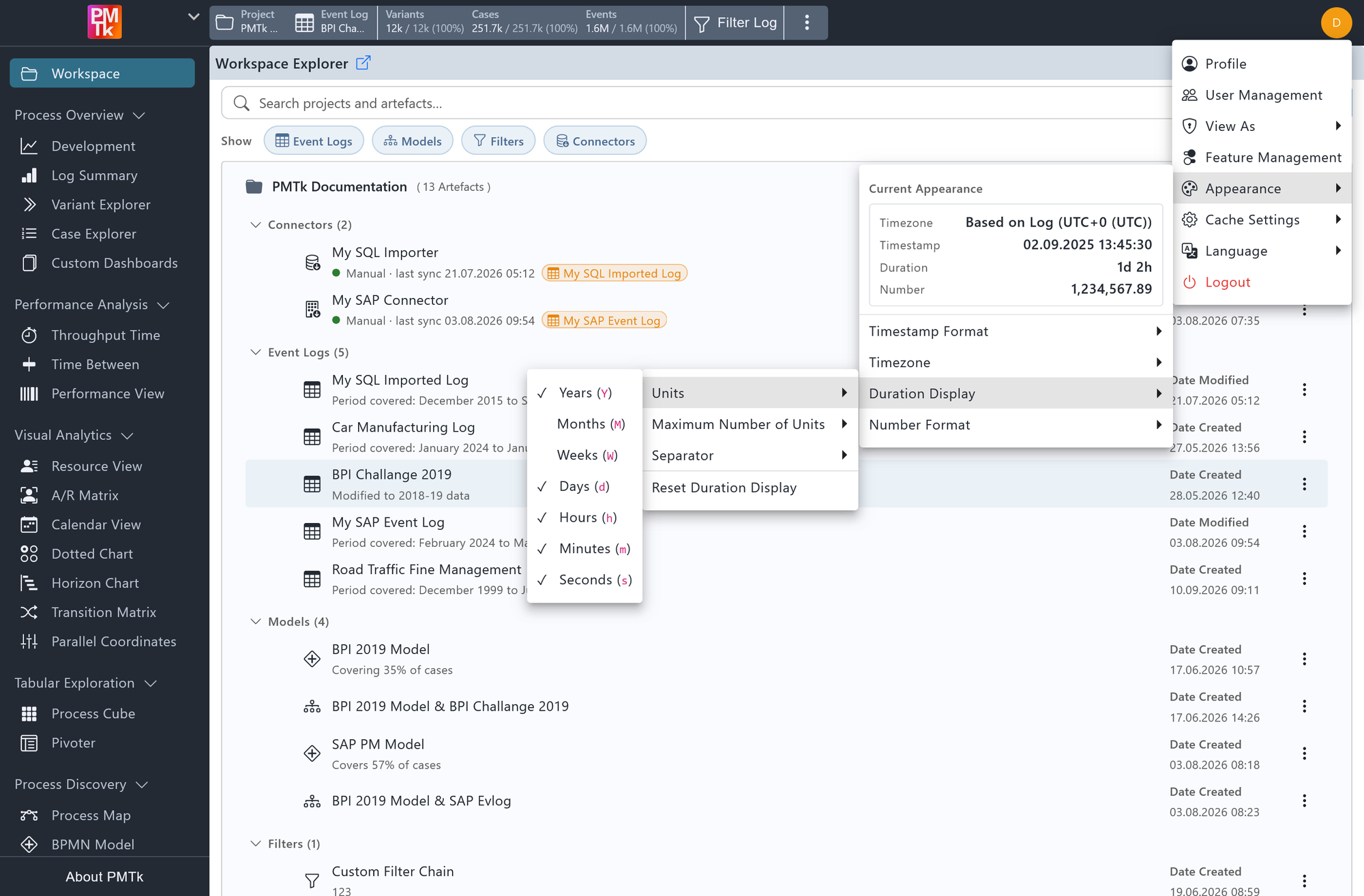
Screenshot shows the Appearance submenu expanded from the user menu in the top-right corner. The Current Appearance panel at the top previews the active Timezone, Timestamp, Duration, and Number formatting with an example value each. The Duration Display > Units sub-menu is open, showing Days, Hours, Minutes, and Seconds enabled while Years, Months, and Weeks are disabled.
Appearance settings control how timestamps, durations, and numbers are displayed throughout PMTk. They are accessible from the user menu in the top-right corner of the screen, under Appearance, which also shows a live preview of each format in the Current Appearance panel.
These preferences are applied individually per user. Instance-wide defaults can be configured by an Owner or Admin in Feature Management.
Timestamp Format
Controls how dates and times are formatted across all views.
| Format | Example |
|---|---|
| Locale default | Format determined by the browser's locale setting. |
| ISO (YYYY-MM-DD, 24h) | 2026-04-02 14:27:15 |
| US (MM/DD/YYYY, 12h) | 04/02/2026 2:27:15 PM |
| EU (DD.MM.YYYY, 24h) | 02.04.2026 14:27:15 |
Timezone
Controls the timezone used to display timestamps. During CSV import, you can specify the timezone in which the event log data was recorded (see Importing Data & Models). The available options are:
| Option | Description |
|---|---|
| Based on Log (default) | Timestamps are displayed exactly as recorded in the event log, using the timezone specified during import. No offset is applied. |
| System | Timestamps are shifted to match the local timezone of the browser. |
| UTC+0 (UTC) through UTC+10 (Sydney) | Timestamps are shifted to the selected fixed UTC offset. |
Duration Display
Controls how durations (e.g., cycle times, wait times, durations between activities) are formatted across all views.
| Setting | Description | Values |
|---|---|---|
| Units | Each unit can be toggled on or off independently. Disabling a unit (e.g., Months) skips it entirely, so a duration is expressed only in terms of the remaining enabled units. |
|
| Maximum Number of Units | Limits how many of the enabled units are shown, largest first. For example, with a maximum of 2, a duration is shown as 1d 2h instead of the full 1d 2h 3m 4s. |
|
| Separator | Sets the character(s) displayed between consecutive units. |
|
Click Reset Duration Display to restore all of the above to their defaults.
Number Format
Controls how numeric values are formatted across all views.
| Setting | Description | Values |
|---|---|---|
| Thousands Separator | Sets the character used to group digits into thousands. |
|
| Decimal Separator | Sets the character used to separate the integer part of a number from its fractional part. |
|
