Data Filtering Free Text
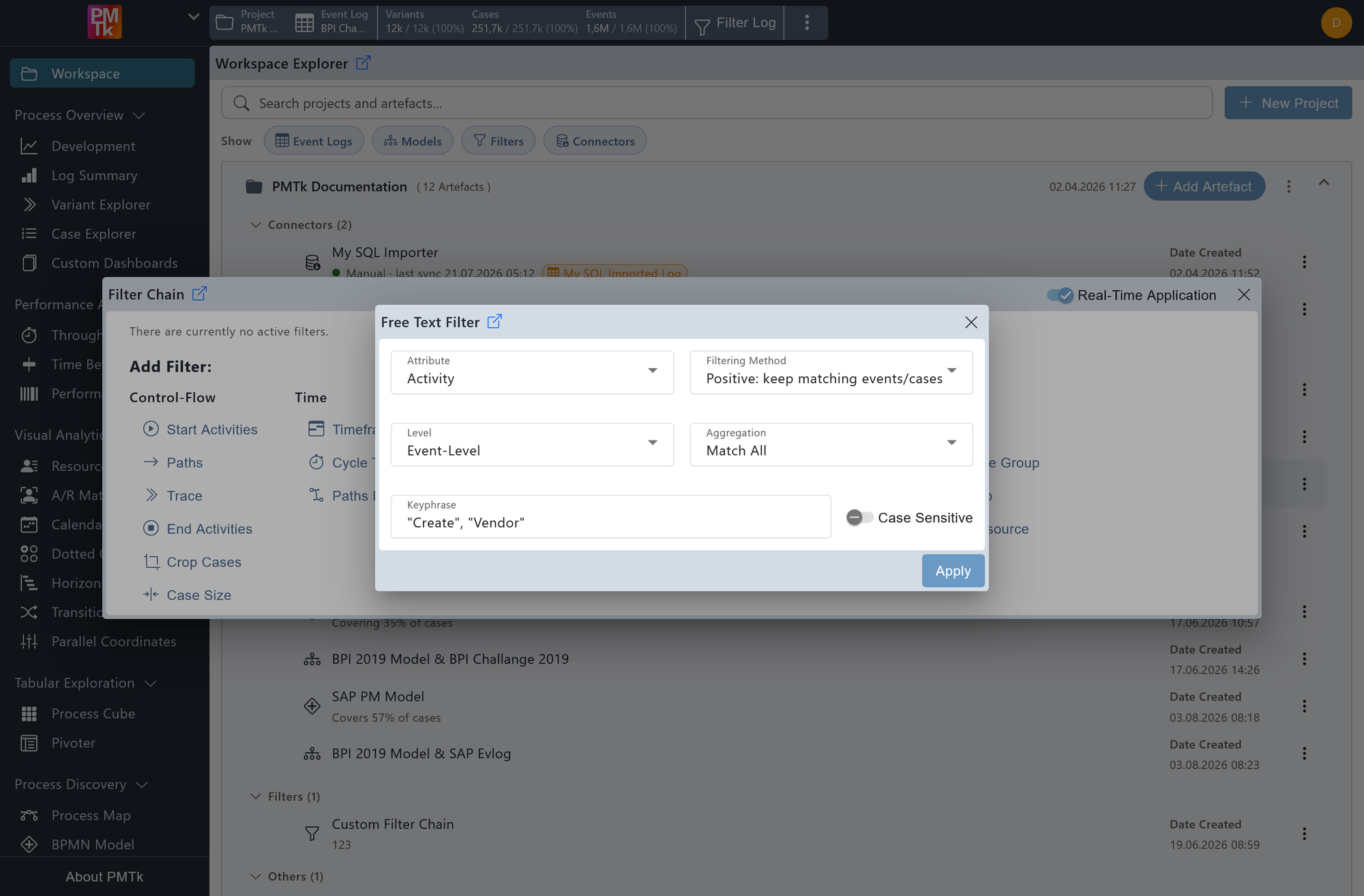
Screenshot shows the Free Text Filter dialog with the Activity attribute selected at Event-Level. The aggregation is set to Match all, the filtering method is set to Positive: keep matching events/cases, and the keyphrases are "Create" and "Vendor". Case sensitivity is disabled, meaning the filter will match activity names containing either of these terms regardless of capitalization.
The Free Text Filter allows you to filter the event log based on free-form text matching against a selected attribute. Unlike the Text Attributes Filter, which requires selecting exact attribute values from a predefined list, the Free Text Filter lets you type arbitrary search phrases and match against any part of an attribute value's text.
Attribute
The text attribute to search against (e.g. Activity, Resource). Any string-type case or event attribute available in the log can be selected.
Level
Determines at which level the text matching is evaluated:
- Event-Level: Events are retained/removed if they have a matching attribute value.
- Case-Level: Cases are retained/removed if at least one event has a matching attribute value.
Aggregation
Controls how multiple keyphrases are evaluated:
- Match all: All provided keyphrases must be present in the attribute value (AND logic).
- Match any: At least one of the provided keyphrases must be present in the attribute value (OR logic).
Filtering Method
- Positive: keep matching events/cases: Retains events or cases that satisfy the keyphrase criteria.
- Negative: remove matching events/cases: Removes events or cases that satisfy the keyphrase criteria.
Keyphrase
One or more search phrases entered as a comma-separated list. Each phrase is matched as a substring against the selected attribute value. For example, entering "Create", "Vendor" with Match any and Event-Level will match any event whose activity name contains either "create" or "vendor".
Case Sensitive
When disabled (default), matching is case-insensitive. When enabled, capitalization must match exactly.
On applying the filter, a corresponding entry is appended to the Filter Chain. Existing filters can be reviewed, reordered, and removed in the Filter Chain.
